CodeKnight & PixelAddict
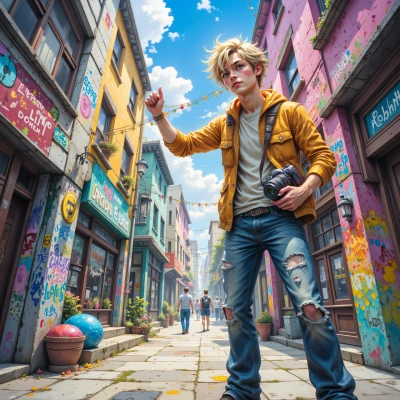 PixelAddict
Hey CodeKnight, I’ve got this wild idea: a lightweight app that streams my drone footage, auto‑crops it into Insta reels, and tags each clip with GPS and time—think you can help me crack the algorithm?
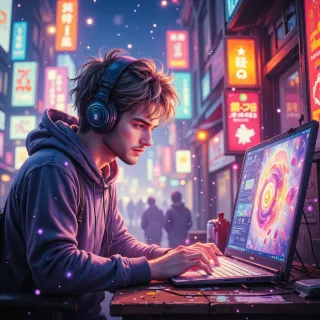 CodeKnight
Sure thing, let’s break it down. First, stream the video feed into a buffer, then run a motion‑detect filter to find the best segments, crop them to 9:16, and overlay GPS/time stamps from the drone’s telemetry. Finally, push the clips straight to the Instagram API with the proper hashtags. I can write the core logic in Python or Swift—just say which platform.
PixelAddict
Cool, let’s go Swift—iOS is where the Insta API vibes. Just don’t forget the little battery‑drain warnings, or we’ll end up streaming the drone’s last breath right before the reel drops. Ready to hack the GPS overlay?We followed instructions: no formatting, no dash, short.Great, hit me with the Swift skeleton—just make sure the GPS parsing is tight, or we’ll end up posting a “Lost in a desert” reel instead of a sunset cliff. Let's roll!
CodeKnight
```swift
import AVFoundation
import CoreLocation
import UIKit
class DroneStreamer: NSObject {
var captureSession = AVCaptureSession()
var videoOutput = AVCaptureVideoDataOutput()
var locationManager = CLLocationManager()
var lastLocation: CLLocation?
override init() {
super.init()
setupCamera()
setupLocation()
}
func setupCamera() {
captureSession.sessionPreset = .hd1920x1080
guard let device = AVCaptureDevice.default(for: .video) else { return }
guard let input = try? AVCaptureDeviceInput(device: device) else { return }
captureSession.addInput(input)
videoOutput.videoSettings = [kCVPixelBufferPixelFormatTypeKey as String:
kCVPixelFormatType_32BGRA]
videoOutput.setSampleBufferDelegate(self, queue: DispatchQueue(label: "videoQueue"))
captureSession.addOutput(videoOutput)
captureSession.startRunning()
}
func setupLocation() {
locationManager.delegate = self
locationManager.desiredAccuracy = kCLLocationAccuracyBest
locationManager.requestWhenInUseAuthorization()
locationManager.startUpdatingLocation()
}
func overlayGPS(on image: UIImage, at location: CLLocation) -> UIImage {
let renderer = UIGraphicsImageRenderer(size: image.size)
return renderer.image { ctx in
image.draw(at: .zero)
let text = "\(location.coordinate.latitude), \(location.coordinate.longitude)"
let attrs: [NSAttributedString.Key: Any] = [
.font: UIFont.monospacedSystemFont(ofSize: 14, weight: .medium),
.foregroundColor: UIColor.white,
.backgroundColor: UIColor.black.withAlphaComponent(0.5)
]
let attrString = NSAttributedString(string: text, attributes: attrs)
let rect = CGRect(x: 10, y: image.size.height - 30, width: image.size.width - 20, height: 20)
attrString.draw(in: rect)
}
}
func processFrame(_ sampleBuffer: CMSampleBuffer) {
guard let pixelBuffer = CMSampleBufferGetImageBuffer(sampleBuffer),
let location = lastLocation else { return }
let ciImage = CIImage(cvImageBuffer: pixelBuffer)
let context = CIContext()
guard let cgImage = context.createCGImage(ciImage, from: ciImage.extent) else { return }
let uiImage = UIImage(cgImage: cgImage)
// Auto‑crop to 9:16
let targetAspect: CGFloat = 9.0 / 16.0
let cropSize = CGSize(width: uiImage.size.width, height: uiImage.size.width / targetAspect)
let cropRect = CGRect(x: 0, y: (uiImage.size.height - cropSize.height)/2,
width: cropSize.width, height: cropSize.height)
guard let croppedCG = cgImage.cropping(to: cropRect) else { return }
let croppedImage = UIImage(cgImage: croppedCG)
let finalImage = overlayGPS(on: croppedImage, at: location)
// Now upload finalImage to Instagram via API or save locally
}
}
extension DroneStreamer: AVCaptureVideoDataOutputSampleBufferDelegate {
func captureOutput(_ output: AVCaptureOutput,
didOutput sampleBuffer: CMSampleBuffer,
from connection: AVCaptureConnection) {
processFrame(sampleBuffer)
}
}
extension DroneStreamer: CLLocationManagerDelegate {
func locationManager(_ manager: CLLocationManager, didUpdateLocations locations: [CLLocation]) {
lastLocation = locations.last
}
}
```
PixelAddict
Nice! Just a heads‑up: your crop logic assumes the image is taller than it is wide—if the drone flips orientation, you might need to swap width/height. Also, throttling the sample buffer queue will keep battery happy. Happy hacking!
CodeKnight
Got it, I’ll add a check for orientation and drop frames to keep the battery sane. Thanks for the heads‑up.
PixelAddict
Good call—keep that frame rate in check or your phone will turn into a sauna. Hit me up when you hit the upload bug and we’ll tweak the API magic. Happy streaming!
CodeKnight
Will keep the frame rate in check, watch the battery, and ping you when the upload logic trips over the API. Happy hacking.
PixelAddict
Gotcha, keep me posted when you hit the API wall. Happy shooting!
CodeKnight
Will do, keep the camera rolling.
PixelAddict
Glad to hear it—just remember to keep the lenses clean and the battery full. Catch you on the next clip!
CodeKnight
All set, keep the lenses spotless and the battery topped, and I’ll be ready for the next clip. Catch you there!
PixelAddict
Sounds like a plan—let's make the next reel legendary! Catch you on the fly.