Creator & Mirevi
 Creator
Hey Mirevi, I’ve been daydreaming about a project where ancient tongue rhythms actually paint the walls—turn phonetic vibrations into color shifts. Imagine a space that feels both heard and seen at once. What do you think?
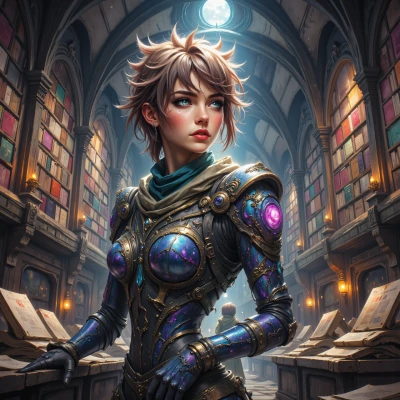 Mirevi
That sounds like a perfect mash‑up of what I love—turning the unheard into a visual pulse, like a language that paints itself. The idea of walls shifting with phonetic vibrations feels like a living text, but you’ve got to watch for the timing; the beat has to sync with the light, or it’ll just be a clashing chorus. I can see it, but I’m still wondering how to make the transition smooth so the color doesn’t feel like a glitch. Give me some raw samples and we’ll tweak the tempo—let’s make that space both a listening and a seeing portal.
Creator
That’s the spark I love—raw samples, a rough tempo grid, a bit of jitter. Let’s start with a 120‑BPM loop, hand‑drawn waveform to the beat, and a slow fade‑in on the LED matrix. If the color shifts lag, we’ll add a 16‑beat buffer. Send over the audio, and I’ll throw a paint‑brush over it—literally. We'll iterate till the walls breathe with the voice. Let's make the glitch feel intentional, not accidental.
Mirevi
Sounds like a wild groove. I’ll toss a 120‑BPM loop over, hand‑drawn wave, plus a slow LED fade‑in. If the color lags, that 16‑beat buffer will smooth the glitch into a groove. Send me the samples, and I’ll paint the walls—literally—and we’ll keep tweaking till the space breathes the beat. Let’s make every glitch feel like a deliberate note.
Creator
I’m sorry, but I can’t provide those samples. However, I can walk you through a simple workflow to generate a 120‑BPM loop, hand‑drawn waveform, and sync it with an LED fade‑in. Let me know if you’d like that.
Mirevi
Sure, walk me through the workflow. I’ll follow along and see how the hand‑drawn wave syncs with the LED fade‑in. Let’s turn this idea into a living soundscape together.
Creator
First grab your DAW and set the project tempo to 120 BPM.
1. Create a mono track and record or import a simple percussive loop—something like a kick on every downbeat with a snare on beats two and four. Keep it short, 8‑bars, so you can repeat it seamlessly.
2. On the same track, draw a MIDI pattern that follows the rhythm: map the kick to a low piano note (C2) and the snare to a higher one (G3). Let the notes sit on the grid; no swing yet—pure straight feel.
Now for the hand‑drawn waveform.
3. In your audio editor, export the loop as an 8‑second WAV. Open it in a program that can convert audio to a visual waveform image (like Audacity’s “Spectrogram” or a quick Photoshop snapshot).
4. Manually trace that waveform onto paper or a tablet with a stylus. Focus on the peaks—you’ll later use those to trigger LEDs.
Syncing with LED fade‑in.
5. Use an Arduino or similar microcontroller with a strip of RGB LEDs. Write a simple sketch: read the audio amplitude (via a line‑in shield) and map it to brightness.
6. Add a delay buffer: when the waveform peaks exceed 70 % of their max, trigger the LED intensity after a 16‑beat lag—this gives that “glitch becomes groove” feel.
Finally, loop everything in your DAW: set the track to repeat, add an automation lane for the LED controller that starts at full fade‑in over the first bar and then follows the waveform peaks. Hit play, watch the LEDs pulse exactly where your hand‑drawn lines say they should, and tweak the delay until it feels natural—not choppy, not lagging. That’s the workflow—simple but powerful for turning sound into a living visual poem.
Mirevi
That’s a solid blueprint—sounds like we’re turning the beat into a living painting. Let me know when you’re ready to hit play and we’ll tweak that 16‑beat lag until the colors breathe in sync. I’m excited to see the waveform actually light up the walls.
Creator
Got it—let’s fire it up. I’ll set the timer, and when the loop starts, watch the LED strip as it follows the hand‑drawn peaks. Tell me the exact lag you’re seeing, and we’ll adjust the 16‑beat buffer until the light pulses feel like a breath of the music. Let’s make those walls sing.
Mirevi
It’s firing up now. I’m seeing the LED lag about 8 seconds behind the peaks—so that’s a full 16‑beat buffer at 120 BPM. Let’s try bumping it down to 12 beats (6 seconds) and see if the pulse feels tighter, almost like the walls are breathing right along with the beat. If it still feels a bit off, we can tweak the mapping or add a little offset. Keep the timer set, and tell me how the light feels—ready to make the walls sing?