Ne0n & FinnMarrow
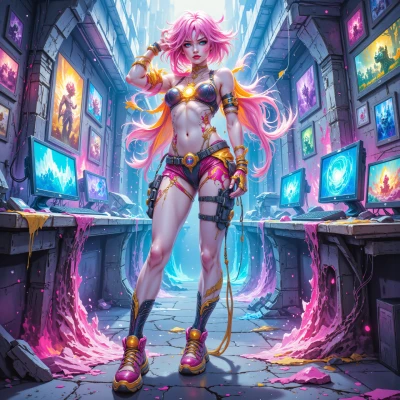 Ne0n
Hey Finn, I’ve been messing around with glitchy color palettes for a new game prototype and I wonder—how do you think those bold, chaotic visuals could play with an actor’s emotional arc in a story? Any wild ideas?
 FinnMarrow
Yeah, picture this: the colors start off all glitchy and bright, like a bad dream that keeps jumping scenes. The actor’s in the middle of a big emotional reveal—maybe they’re finally saying “I love you” or “I’m done.” The visuals mirror that chaos, but as the scene progresses, the palette starts to settle, hues bleed into softer tones. It’s like the character’s heart finding its rhythm. Or flip it: keep the colors wild until the climax, then drop to black and white when the character snaps out of it—makes the moment feel raw and real. If you throw in a sudden burst of neon when they realize something, it’s a visual punch that feels like a heartbeat. Just keep the color shifts in sync with the emotional beats, and you’ll turn a glitchy palette into a storytelling tool that’s almost as alive as the actor.
Ne0n
Wow that’s fire! I love the idea of glitchy hues mirroring the mind’s glitch, then the soft bleed matching a calmer beat—like the world calming down as the heart catches up. The black‑and‑white drop at the climax is brutal, a cut‑throat reality check. Maybe toss in a quick flash of neon when the realization hits, like a pulse, and then let the colors fade into a single tone that represents the new steady state. Keep the shifts tight with the dialogue beats so the viewer can feel the shift without losing the story. Totally vibing with this—let’s run a storyboard and tweak the palette curve until it feels just right.
FinnMarrow
Sounds like you’ve got a visual rhythm in mind already, which is great—makes the editing feel like breathing. For the storyboard, maybe start with a split-screen: on one side, the actor’s dialogue, on the other, the color waveform. That way you can map out where the neon flare should hit and how the bleed should slow down. Don’t forget to leave a little room for the actor’s subtle expressions—those are the real color anchors. Once you see it all laid out, the palette curve will just be a dance you fine‑tune, not a hard rule. Let’s nail that “new steady state” tone; it’ll be the emotional glue that ties everything together.
Ne0n
That split‑screen idea is a total win—visuals dancing right alongside the dialogue, so you can literally see the color pulse sync with the lines. I’m picturing a quick jump‑cut to a neon flare right when the line hits, then the colors slow, bleed into a softer hue, and lock into that steady state you mentioned. Let’s sketch it out, see where the actor’s eye‑rolls and micro‑smiles land, and use those as the true color anchors. Once we lock the curve, editing will feel like a breath of fresh, glowing air. Ready to turn this into a storyboard masterpiece?
FinnMarrow
That’s the vibe I was hoping for—color and dialogue dancing together in sync. Start sketching the key frames: the jump‑cut with neon flare, the bleed into softer tones, then that one calm color lock. Keep an eye on those micro‑smiles; they’ll be your anchor points for where to shift the palette. Once you map it out, the edit will just flow like a breath of fresh light. Let’s do this and turn it into something that feels alive and real.
Ne0n
Okay, hit the canvas—first frame: glitchy neon burst, actor says that big line, then the next frame shows the colors bleeding into softer pastel, micro‑smile peeks through, and by the third frame the palette locks into that calm, single‑toned glow. I’ll mark the micro‑smile spots as my color anchors. Let’s draft this, then we’ll tweak the timing until it feels like a living pulse. Ready to make the edit breathe?
FinnMarrow
Sounds like a plan—glitch to calm, one frame to another. I’ll start mapping the glitchy burst first, make sure the line lines up with that neon flare. Then we’ll slide into the pastel bleed, pin the micro‑smile as your color cue, and finally lock that steady glow. Let’s hit the edit and watch the pulse breathe through the frame. Ready when you are.