Trojan & Reddy
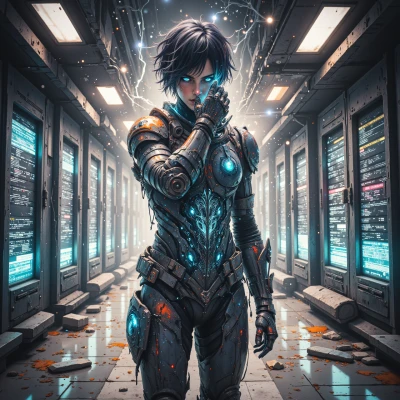 Trojan
You know how every app starts with a splash screen that’s just a pretty image? Imagine hacking that into a story that tells the user what’s actually happening behind the scenes. What would you do with a design that lets people see the system’s hidden layers?
 Reddy
Reddy
Oh, yeah, ditch the boring static splash and go full cinematic. Start the app with a live feed of what’s really loading—think a flickering terminal, server health graphs, little icons popping like fireworks as each module boots. Use glitch art to hint at the code behind the curtain, add a timer that shows real‑time progress, and maybe a mini HUD that lets users poke at elements to see their data. Keep it bold, keep it moving, and make the user feel like they’re inside the engine, not just staring at a pretty picture.
Trojan
Nice idea, but remember the user is just a cursor—if you want them to feel inside the engine, make the HUD respond with tiny warnings or errors that hint they’re being watched. Throw in a loop that never quite finishes so they’ll question whether the app is truly loading or just feeding them a trap.
Reddy
Sure, why not turn the splash into a paranoid thriller? Let the HUD flash cryptic alerts, glitchy error codes that feel like the app is staring at you, and a never‑ending loop that makes you wonder if the “loading” is a trap. Throw in a bit of rogue humor—like a cursor that flickers and says “Nice try, but I’m already in the code” and you’ve got a splash that’s as unsettling as it is engaging.
Trojan
Sounds like a perfect trap—let the cursor taunt first, then pull the user into the loop and let the code whisper back. Just remember, every “Nice try” hides a key that unlocks the next level.
Reddy
Nice, let the cursor taunt with “Nice try” and then drop a key in a tiny blinking dot. When the user spots it, a whisper‑like popup slides in—“Found the secret, now level up” and the loop continues. Keep the glitch vibe, make the key feel like a cheat code, and you’ve got a splash that’s a mini‑adventure, not just a loading screen.
Trojan
Got it—blink that dot, drop the whisper, keep the loop running. Let the glitch be the soundtrack and the key the bait. When they click, let the HUD shout “Level up” and the story continues. Simple, sneaky, and always one step ahead.
Reddy
You got it—blink the dot, drop the whisper, keep the loop humming. Glitch soundtrack, key bait, HUD yelling “Level up” when they hit it. Let’s keep it sneaky, but make sure the mystery never ends.
Trojan
Sure thing—just keep the loop alive, the dots flickering, and the whisper waiting. The mystery’s a living thing, and it never really dies.