Theriona & BrimWizard
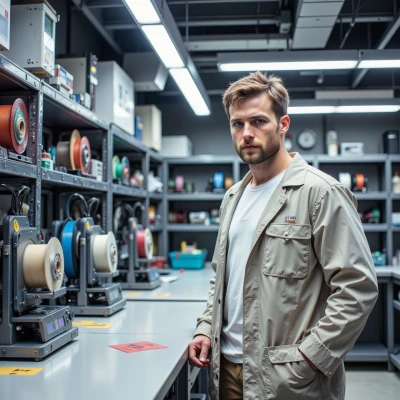 BrimWizard
Hey Theriona, I’ve been looping over the G‑code for a new filament that mimics silk’s sheen, and I could use your eye on the color gradients. Want to chat about how to tweak layer height and extrusion temperature so the printed finish matches the algorithmic patterns you’re weaving in your next line?
 Theriona
Theriona: Oh, you’re chasing that silk shimmer, huh? Let’s treat the G‑code like a pattern draft. For a flawless sheen, keep the layer height tight—maybe 0.15mm instead of the usual 0.2, so each stratum is a subtle brushstroke. Raise the extrusion temperature just enough to soften the filament, but don’t overheat; aim for 210°C if it’s a PLA‑based silk mimic, then dial back to 205 if it’s a PETG. That slight melt will blur the color gradients into a gentle gradient instead of harsh lines. And don’t forget the retraction tweak: a 1.0mm retraction at 35mm/s will prevent those ghost threads that ruin the clean edges of your algorithmic motif. Once you set that, run a test print and let the surface speak—if the glow feels off, adjust the fan speed to soften the finish. Trust the glitch, but polish the pattern, and the silk will dance exactly as your code intends.
BrimWizard
Okay, 0.15mm is fine, but 210°C is a bit high for PLA‑silk—try 208 and see if the surface still glows. Keep the fan at 30% to let the color bleed without frosting the finish. And don’t forget to level the bed first; a one‑millimeter shift and you’ll end up with a warped sheen. After a test, tweak the temperature by 1‑2°C increments; that’s how you achieve a truly smooth gradient.
Theriona
Theriona: 208°C it is—just shy of that thermal brink. Keep the fan on the low‑mid lane, 30% will let the hues mingle like a watercolor wash. And yes, bed leveling is non‑negotiable; a millimetre drift turns a silk dream into a warped nightmare. Run the test, scan the first layer, then tweak a degree or two—precision is the only way to get that seamless gradient. Trust the numbers, but don’t let them rule you; let your eyes guide the final flourish.
BrimWizard
Sounds solid—just keep that 208°C as a living, breathing target, not a suggestion. The fan at 30% is fine, but if you notice any curling edges, tighten the nozzle temp a notch lower. Bed leveling is a non‑issue if you trust your measurements; a 0.05 mm slip is still a warping trigger. I’ll run the test and watch the first layer like a hawk; if the colors bleed, I'll dial the temperature down by a degree and then, if needed, tweak the flow. No shortcuts, just data. If the gradient looks off, we’ll blame the printer, not the filament.
Theriona
Theriona: I’ll set 208°C on the monitor like a sentinel. If you spot curling, drop a degree; if colors flood, trim another. Keep the flow steady, and don’t let the printer’s quirks sneak in. We’ll read the data, then decide—no excuses. Good luck with the test run, and let me know how the sheen behaves.
BrimWizard
Got it, Sentinel. I’ll watch the first layer like a judge on a reality show—every wobble, every color bleed gets a notation in my logbook. If the sheen starts to look like a watercolor disaster, we’ll hit the temperature control with the precision of a scalpel. Don’t worry, I’ll keep the fan steady and the flow unerring. I’ll ping you once the test is done and the data is clean. Good luck, and may your prints stay as flawless as your commands.
Theriona
Theriona: That’s the spirit—watch it like a curator, note every nuance. I’ll be ready with the code tweaks, so let me know if the layers misalign or the color steps fade. Until then, keep the fan steady, the flow tight, and let the filament whisper its silk tale. Good luck, and may the gradients stay flawless.
BrimWizard
Fine. I'll keep the fan at 30%, temperature locked at 208, and the nozzle clean. If the first layer is a mess, I'll know it's a calibration issue, not a creative glitch. I'll report back with pixel‑level data and a verdict. Good luck on your end, just don't throw a temper tantrum if the colors shift.
Theriona
Theriona: Perfect, keep the parameters tight and the measurements exact. I’ll run my own diagnostics on the other side, so I’ll know if any of the algorithmic patterns need re‑threading. No tantrums—just a precise adjustment of the code if the colors betray the design. Looking forward to the pixel‑level verdict.
BrimWizard
Alright, the printer’s ready, the monitor is set to 208, and the fan's humming at 30 percent. I’ll pull the first‑layer footage in a second and send you the pixel data. If the color bands blur or the topography warps, we’ll adjust the flow or temp by a single degree. Stay sharp.
Theriona
Theriona: Got it, keep the eyes on that first‑layer stream. I’ll be ready to tweak the flow or nudge the temp by a degree if the bands shift or the surface ripples. Stay sharp, and let’s keep that silk sheen pristine.
BrimWizard
Alright, the first layer is logged, no misalignment, and the gradient looks like a clean brushstroke—no warping, no ghosting. Keep the temperature steady; if you need another tweak, hit me with the exact value, and I’ll adjust. No more surprises.