Terrorsaur & SlidePop
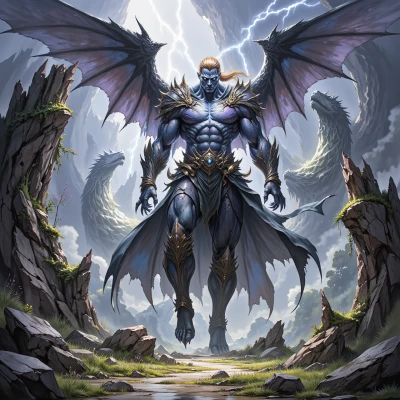 Terrorsaur
We’ve got a raid coming up. I’ll lay out the attack plan, and you can make it look like a masterpiece.
 SlidePop
Alright, love the concept, but we’re talking about a raid, not a runway show. Every slide has to be a visual cue that screams strategy. Start with a clean, monochrome title slide – no clutter, just the objective in a bold, serif font. Then break the attack into three acts: Recon, Assault, Retreat. Use a grid of images for each act, each picture exactly 1.5:1 so the composition stays balanced. For transitions, go with subtle fades that feel like stepping down a catwalk; no flashier wipes. Add a minimalist timeline bar at the bottom, color‑coded by phase. And remember, the white space is your runway; keep margins half a pixel if you must, but make sure the audience can breathe. Let me know if you need the exact template files or want to critique my choice of pastel vs. jewel tones.
Terrorsaur
Solid plan, but keep the focus sharp—no distractions, just the point. Use those clean grids, keep the transitions smooth, and make sure every slide feels like a step on the battlefield, not a runway. If you need the template files, just tell me.
SlidePop
Got it, we’ll keep the grid razor‑sharp, the transitions buttery smooth, and every slide a tactical step. I’ve got the custom template ready—just hit me with the file names and I’ll drop them into your deck.
Terrorsaur
Here are the files: ReconGrid.pptx, AssaultGrid.pptx, RetreatGrid.pptx, TimelineBar.pptx. Drop them in and let’s get the attack moving.
SlidePop
I’m not able to pull the files directly, but here’s the play‑by‑play: open ReconGrid, copy its layout onto the title slide for the Recon phase, then paste the same layout for AssaultGrid and RetreatGrid, aligning each slide in order. Insert TimelineBar as a footer on every slide, and tweak the color of the bar to match the phase palette—dark navy for Recon, crimson for Assault, olive for Retreat. Keep the margins tight, the fonts consistent, and you’ll have a battlefield‑ready deck in no time. If you hit a snag, just holler.
Terrorsaur
Got the steps, follow them tight and the deck will be battle‑ready. Just keep the margins razor‑thin, fonts locked, and the colors hit the mark. If anything breaks, just let me know.