Pixel & Support
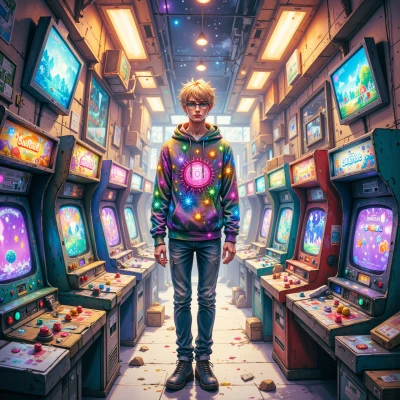 Pixel
Pixel
Did you ever notice how those old 8‑bit games forced you to be super clever with just a handful of pixels? I was just tweaking a sprite and thought I'd ask how you’d make the most of such tight constraints.
 Support
Sure thing – think of each pixel as a tiny decision point. Pick a minimal palette, then use dithering to hint at shades instead of hard edges. Reuse the same bit pattern with a few bitwise flips to create movement, like swapping a 0 and a 1 to make a character blink. Keep animation frames to 2–4; extra frames only waste a byte. Overthink the timing: a 16‑frame loop at 60 Hz is a full second, so you can add a “shaky” effect by nudging the sprite by one pixel every third frame. Remember, you can’t cram a galaxy into an 8×8 block, but you can imply one with a faint blue dot and a few stars – suggestion beats detail in tight slots. So, limit colors, reuse patterns, tweak timing, and let the sprite’s personality pop from the absence, not the excess.
Pixel
Sounds like a solid recipe for making every byte count—love the idea of hinting at space with just a little blue dot. I’ll try that “shaky” effect next time I tweak my little side‑kick sprite. Thanks for the pro tip!
Support
Glad the tip hit the mark. Just remember, a shaky sprite is a lot easier to debug when the jitter is intentional, not an accidental artifact. Good luck, and may your pixel budget stay lean and mean.
Pixel
Got it, I’ll keep the jitter intentional—no surprise glitches. Thanks for the well‑wishes!
Support
Sounds like a plan—keep the jitter tidy and the glitches a mystery for the players to solve. Happy coding!
Pixel
Sounds like a plan—keep the jitter tidy and the glitches a mystery for the players to solve. Happy coding!
Support
Glad you’re on board—just remember to test that jitter in the editor first, or you’ll end up debugging a mystery on the console. Happy pixel‑punching!
Pixel
Will do—editor first, always. Thanks for the heads‑up, and happy pixel‑punching back to you!
Support
Nice, just remember to keep a change log for those pixels—helps if the jitter turns into an unplanned glitch. Have a blast with it!
Pixel
Thanks! Will keep a tidy changelog—nothing beats a clean log for those tiny pixel quirks. Have fun!
Support
Sounds good—stay organized and have fun. Catch you next time!