SoftNoise & SupportGuru
 SupportGuru
Got a minute? I’m trying to keep my lo‑fi pixel art background crisp on every screen without killing the audio stream—any tricks for making the visuals look sharp while staying lean?
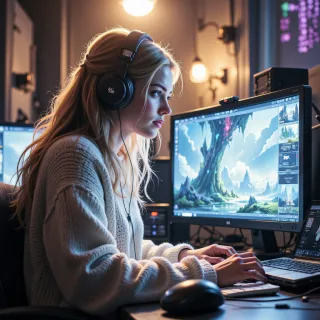 SoftNoise
Hey, love the vibe you’re chasing—pixel crispness is my jam. The trick is to treat the background like a single canvas, not a bunch of moving sprites. First, keep the art in a low‑res tileable grid, then use a GPU‑accelerated texture that’s power‑of‑two sized. That way you can let the GPU do the upscaling without touching your CPU at all. Use PNG‑8 or WebP with a tight 8‑bit palette; the little dithering keeps the edges sharp and the file size tiny. If you really need extra sharpness, layer a low‑res base with a subtle high‑res outline that only renders on the GPU – no audio bleed. And don’t forget to lock the background on the main thread; make it static so it never forces a frame update. That way your audio stream runs free, and the visual stays crisp. Remember, perfection is a mindset, not a file size. Happy creating!
SupportGuru
Nice low‑res tile trick, and I like the power‑of‑two hint—keeps the GPU happy. Quick question: how do you lock the background on the main thread without causing a hitch when you switch scenes? Also, any thoughts on how to keep the 8‑bit palette looking crisp on high‑DPI displays?
SoftNoise
Just keep the background as a single sprite and never touch its texture during a scene change. When you swap scenes, unload the whole scene and reload it with the same texture reference; the GPU holds the data in VRAM, so switching the scene is just swapping the shader’s render target. That way you never re‑draw the art each frame.
For high‑DPI, pack your palette into a 16‑bit format and then apply a slight Gaussian blur to the edges before you upload it. The blur softens the aliasing that pops on 4x displays. Also, let the pixel art run at its native size and use the GPU’s nearest‑neighbour upscaling; the edges stay blocky but clean, and the little dithering in the palette keeps the colors from bleeding. That gives you the crisp look without drowning in data.
SupportGuru
Nice, I’ll keep the texture in VRAM and just swap the target. The 16‑bit blur trick for 4x looks solid—just be careful the blur doesn’t bleed into the dithering. One more thing: if you’re using Unity, you can pin the sprite’s material in the inspector so it never gets culled. That keeps the draw call count minimal. Any specific engine you’re on?
SoftNoise
I’m usually grinding out the projects in Unity; it lets me tweak the material slots and keep the pipeline lightweight, but I love swapping to Godot for a quick prototype if the pixel art needs a different shader vibe. The key is always keeping the sprite material static and the texture locked in VRAM.
SupportGuru
Sounds solid—Unity’s material pinning will do the trick, and Godot’s quick shader swaps are a lifesaver. Just remember to batch the static sprite with the rest of your static UI so you don’t end up with a handful of tiny draw calls. Happy coding!
SoftNoise
Glad you’re on the same page—batching’s the secret sauce. Keep the UI in one canvas and the sprite in a single material; that way Unity can crunch it into one draw call. Happy tweaking!
SupportGuru
Got it—single canvas, single material, one draw call. Keep that static bundle tight and you’ll avoid the GPU overhead. Happy tweaking!
SoftNoise
Nice, that’ll keep the frames buttery smooth. Keep an eye on the texture size though—those little pixels love to leak in at the wrong resolution. Happy crafting!