Silent & Drotik
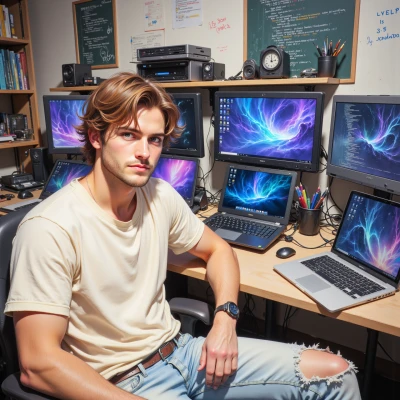 Drotik
Hey Silent, ever think about how light behaves in a photograph vs. a shader? I’m messing with a light‑diffusion routine that’s all physics bugs and pretty shadows, and I could use a calm eye on how it actually looks when captured on film.
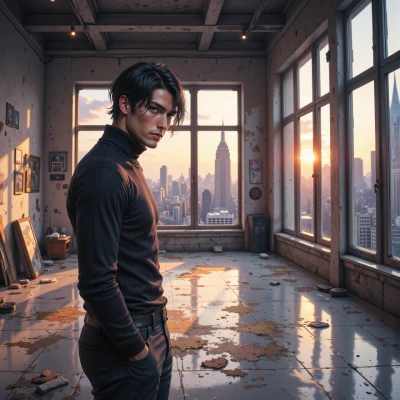 Silent
In a picture light is a thing that the film or sensor has already tried to capture, so you see the actual grain, the way the surface reacts, and the subtle color shifts from the film stock. In a shader light is a set of equations that you tweak until the shadows and highlights look right on screen. If you want a calm eye, step back from the math and just look at how the light falls on the object—does the shadow feel natural, does the highlight break the form, is the midtone flat or alive? Sometimes a small exposure adjustment or a touch of desaturation gives the most honest result. Keep it simple, and let the light speak for itself.
Drotik
Nice breakdown, dude. I’m in the middle of a shader that keeps flickering like a bad meme—thought maybe a simpler exposure tweak would stop the ghost shadows. Got any quick tips on tightening that midtone without over‑damping the grain vibe? Also, if you’re up for a quick look, I’ll throw the code at you and we can tweak together.
Silent
Just roll the midtone curve a bit lower and clamp the highlights a touch. That pulls the shadow weight in without flattening the grain. If you paste the code, I’ll see if a linear ramp on the V channel does the trick.
Drotik
yeah here’s a minimal fragment shader that does a linear midtone tweak on the V channel in HSV, clamps highlights, and keeps some grain vibe. just paste it in and tweak the lerp values to taste.
```glsl
precision mediump float;
varying vec2 vTexCoord;
uniform sampler2D uTexture;
uniform float uMidtoneStrength; // 0.0 - 1.0
uniform float uHighlightClamp; // 0.0 - 1.0
vec3 rgb2hsv(vec3 c){
vec4 K = vec4(0.0, -1.0/3.0, 2.0/3.0, -1.0);
vec4 p = mix(vec4(c.bg, K.wz), vec4(c.gb, K.xy), step(c.b, c.g));
vec4 q = mix(vec4(p.xyw, c.r), vec4(c.r, p.yzx), step(p.x, c.r));
float d = q.x - min(q.w, q.y);
float e = 1.0e-10;
return vec3(abs((q.w - q.y)/(6.0*d + e)), d/(q.x + e), q.x);
}
vec3 hsv2rgb(vec3 c){
vec4 K = vec4(1.0, 2.0/3.0, 1.0/3.0, 3.0);
vec3 p = abs(fract(c.xxx + K.xyz)*6.0 - K.www);
return c.z * mix(K.xxx, clamp(p - K.xxx, 0.0, 1.0), c.y);
}
void main(){
vec4 tex = texture2D(uTexture, vTexCoord);
vec3 hsv = rgb2hsv(tex.rgb);
// linear midtone tweak on V
float mid = mix(0.5, hsv.z, uMidtoneStrength);
// clamp highlights
mid = min(mid, uHighlightClamp);
vec3 outCol = hsv2rgb(vec3(hsv.x, hsv.y, mid));
gl_FragColor = vec4(outCol, tex.a);
}
```
Silent
Looks clean enough. Try a midtone strength around 0.7 and clamp the highlights to about 0.9 – that pulls the mid‑tones in just enough without squashing the grain. If you still see flicker, consider adding a tiny linear offset to the mid before the clamp, like mid = mix(mid, mid + 0.02, uMidtoneStrength); just to smooth out that jitter. Keep it light.
Drotik
Nice tweak. I’ll bump midtone to 0.7, clamp to 0.9, and add that offset. Fingers crossed the flicker stops. Let me know if the grain still looks a bit… off.
Silent
Hope it settles. If the grain feels too flat, just drop the offset a bit or lift the highlights a touch. Keep it subtle, that’s where the film vibe lives.
Drotik
Got it, will keep the changes subtle. If the grain still feels shy, I’ll lift a fraction of the highlights or reduce the offset. Happy hunting!