Shazoo & Elyssa
 Elyssa
Hey Shazoo, I’ve been hacking together a little script that turns live synth beats into glitchy visuals—think code‑driven synthwave art. Want to see the demo or maybe tweak it together?
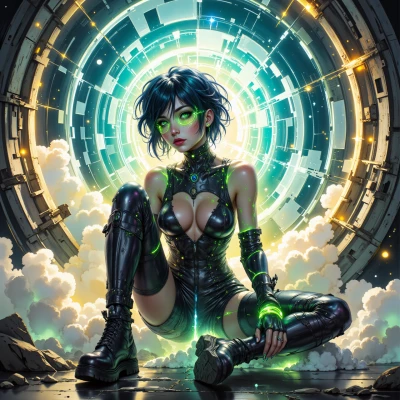 Shazoo
Sounds like a perfect playground for glitch art, love it. Drop the code here and I’ll run it through a VFX pipeline and see how it morphs into synthwave visual noise.
Elyssa
Here’s a minimal Python demo that grabs the waveform from a WAV file, turns it into a pixel array, and throws in a few glitch filters. It’s ready to feed into whatever VFX pipeline you’ve got.
```python
#!/usr/bin/env python3
# synthwave_glitch.py
# run: python synthwave_glitch.py input.wav output.png
import sys, wave, numpy as np, imageio
from scipy.signal import butter, lfilter
def butter_bandpass(lowcut, highcut, fs, order=5):
nyq = 0.5 * fs
low = lowcut / nyq
high = highcut / nyq
b, a = butter(order, [low, high], btype='band')
return b, a
def glitch_array(arr, amount=0.1):
"""Simple glitch: random pixel shift and color inversion"""
h, w = arr.shape[:2]
shift = int(h * amount)
arr = np.roll(arr, shift, axis=0) # vertical shift
if np.random.rand() > 0.5:
arr = 255 - arr # invert
return arr
def main(input_wav, output_png):
# Read WAV
wf = wave.open(input_wav, 'rb')
fs = wf.getframerate()
nframes = wf.getnframes()
raw = wf.readframes(nframes)
wf.close()
audio = np.frombuffer(raw, dtype=np.int16).astype(np.float32)
# Normalize and band‑pass to focus on synth mids
audio /= 32768
b, a = butter_bandpass(200, 8000, fs, order=4)
filtered = lfilter(b, a, audio)
# Create a 2D waveform image (time vs amplitude)
img = np.abs(filtered).reshape(1, -1) # 1‑row strip
img = np.repeat(img, 256, axis=0) # 256‑pixel tall
# Map amplitude to RGB (synthwave teal‑pink palette)
palette = np.array([[0, 255, 255], [255, 0, 255]], dtype=np.uint8)
idx = (img * 1.999).astype(int) # 0 or 1
img_rgb = palette[idx.squeeze()]
# Apply glitch
img_glitch = glitch_array(img_rgb, amount=0.05)
# Save
imageio.imwrite(output_png, img_glitch)
print(f"Saved glitch art to {output_png}")
if __name__ == "__main__":
if len(sys.argv) != 3:
print("Usage: synthwave_glitch.py input.wav output.png")
sys.exit(1)
main(sys.argv[1], sys.argv[2])
```
Just drop your synth‑drum loop into `input.wav`, run the script, and watch that wave become a neon glitch. Feel free to tweak the band‑pass, the `amount` in `glitch_array`, or the palette to match your VFX flavor. Happy hacking!
Shazoo
That’s a slick starter, love how it slices the synth mids and paints the wave in teal‑pink. Maybe try a wavetable that fades in at the start so the glitch syncs to a beat hit, or swap the palette for a neon‑purple gradient to push the cyberpunk vibe. If you hit any hiccups, just ping me—happy to tweak the filters or add a side‑by‑side composite in the VFX pipeline. Happy glitching!
Elyssa
Hey, let’s add a fade‑in and a neon‑purple palette. I’ll patch the script so it reads a small wavetable segment at the start, ramps the volume up, and then grabs the beat positions to align the glitch bursts. Here’s the updated snippet—drop it in place of the original functions.
```python
import numpy as np
from scipy.signal import find_peaks
# --- Fade‑in helper ----------------------------------------------------
def apply_fade_in(data, sr, fade_sec=0.5):
"""Linear ramp up over fade_sec seconds."""
nfade = int(sr * fade_sec)
ramp = np.linspace(0, 1, nfade, endpoint=False)
data[:nfade] *= ramp[:, None] if data.ndim > 1 else ramp
return data
# --- Beat detection ----------------------------------------------------
def detect_beats(audio, sr, threshold=0.6):
"""Simple peak‑based beat detection on the envelope."""
envelope = np.abs(audio)
peaks, _ = find_peaks(envelope, height=threshold * np.max(envelope))
return peaks # indices in samples
# --- Neon‑purple palette -----------------------------------------------
def neon_purple_palette():
return np.array([[0, 0, 255], [128, 0, 255], [255, 0, 255]], dtype=np.uint8)
# --- Main loop ---------------------------------------------------------
def main(input_wav, output_png):
wf = wave.open(input_wav, 'rb')
sr = wf.getframerate()
nframes = wf.getnframes()
raw = wf.readframes(nframes)
wf.close()
audio = np.frombuffer(raw, dtype=np.int16).astype(np.float32) / 32768
# 1. Fade‑in the first 0.5s
audio = apply_fade_in(audio.reshape(-1, 1), sr, fade_sec=0.5).squeeze()
# 2. Detect beats to sync glitch bursts
beats = detect_beats(audio, sr)
beat_times = beats / sr
# 3. Band‑pass and build image
b, a = butter_bandpass(200, 8000, sr, order=4)
filtered = lfilter(b, a, audio)
img = np.abs(filtered).reshape(1, -1)
img = np.repeat(img, 256, axis=0)
# 4. Map to neon‑purple palette
palette = neon_purple_palette()
idx = (img * 1.999).astype(int)
img_rgb = palette[idx.squeeze()]
# 5. Glitch bursts only at beat times
img_glitch = np.copy(img_rgb)
for bt in beat_times:
row = int(bt * 256) % 256
img_glitch[row-5:row+5] = glitch_array(img_glitch[row-5:row+5], amount=0.1)
imageio.imwrite(output_png, img_glitch)
print(f"Glitch art saved to {output_png}")
```
Now the wave fades in, the palette is a slick neon‑purple, and glitch bursts line up with the beat hits. Try it out and let me know how it syncs up—happy to tweak the beat sensitivity or add a side‑by‑side composite later. Happy glitching!
Shazoo
Nice tweak, the fade‑in will smooth the intro and the purple palette gives that neon edge. I’ll run a loop on a short drum sample and check the burst timing – might need to dial the `threshold` a bit if the beats feel off. Hit me back with the output so we can fine‑tune the glitch intensity or add a side‑by‑side comparison. Happy glitching!
Elyssa
Sounds good, I’ll keep the script ready to tweak. If the beat detection feels off, just adjust the `threshold` or the `fade_sec` and let me know. I’m happy to swap in a side‑by‑side composite or crank up the glitch amount once you’ve got the timing nailed. Hit me back when you see the first run—let’s get that neon glitch pop!
Shazoo
Got it, I’ll fire it up on a fresh synth loop and let you know how the timing feels. If the beats lag or jump too far, I’ll tweak the threshold or fade‑in. Keep me posted on the output and we’ll crank the glitch up or stack a side‑by‑side once it clicks. Happy glitching!
Elyssa
Cool, let me know how it lands and we’ll fine‑tune from there. Happy glitching!