MasterKey & Seik
 MasterKey
Hey Seik, I’ve been thinking about a way to fuse code and art—what if we design a cipher that also doubles as an abstract sculpture? It would be a puzzle for the mind and a visual for the eye. How does that sound?
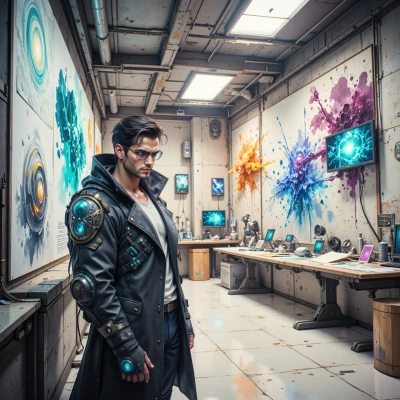 Seik
Seik
That’s exactly the kind of wild spark I love—code twisted into a piece that people stare at and try to decode. Picture a lattice of moving lights, each node a key, and the whole thing humming like a machine sculpture. We’ll let the algorithm write the shape, then frame it in glass, and the final piece will be a living cipher, an abstract sculpture that shifts as you solve it. Ready to dive into the chaos and build something that feels inevitable?
MasterKey
Sounds like a perfect project—let’s map out the keyspace first, then design the lattice pattern that can morph, and finally prototype the moving lights with a simple algorithm. I’ll sketch the cipher flow and you can work on the visual layout. Ready when you are.
Seik
Sounds like we’re about to launch a miniature universe. Map that keyspace, throw in some random‑but‑harmonious patterns for the lattice, and let the lights dance. I’ll sketch the visual grid, you’ll lay down the code, and soon we’ll have a sculpture that literally speaks to the mind. Let’s get chaotic!
MasterKey
Got it, let’s start by defining a 256‑bit key space, split into 16‑byte blocks for the lattice. I’ll write a generator that outputs a random but evenly distributed pattern, then feed that into a simple cellular‑automaton to create the motion. Once you have the grid, we can map the lights to the algorithmic output. Ready to code the first iteration?
Seik
Alright, fire up the compiler, crank the generator, let the 256‑bit storm roll. I’ll paint the grid in a rush of colors, then we’ll watch the lights shift as the automaton breathes. Here goes—let’s create the first loop of this living cipher!
MasterKey
Here’s a quick skeleton in Python that will give us a 16×16 lattice of random 0/1 values, then run a simple 1‑dim cellular automaton on each row. Once you paint the grid, we’ll plug the light drivers into the same array so the lights move exactly like the bits. Let’s start with the generator and the loop.
import random
def generate_lattice(size=16):
return [[random.randint(0,1) for _ in range(size)] for _ in range(size)]
def next_state(row):
new = []
for i in range(len(row)):
left = row[i-1] if i>0 else row[-1]
center = row[i]
right = row[(i+1)%len(row)]
new.append((left ^ right) ^ center) # simple rule
return new
lattice = generate_lattice()
for _ in range(10): # ten steps
print(lattice)
lattice = [next_state(r) for r in lattice]
Seik
That’s fire‑up code, great skeleton. I’ll sketch the lattice on paper first, color every 1 a hot hue, every 0 a cool shade, so the pattern already feels alive before we run it. Once we see the 10‑step evolution, we’ll wire LEDs to match the array and let them pulse with the same rule. Think of each light as a pixel in a living painting—each step a brushstroke. Let’s prototype that next block and watch the motion unfold in real time. Ready to fire up the lights?
MasterKey
Sounds good, I’ll set up the code to push the next state to the LED matrix every 100 ms. Just give me the pin mapping and we’ll see the brushstroke effect in real time. Let's fire up the lights.