SageSorceress & FigmaFairy
 FigmaFairy
Hey, I was just imagining how we could turn an ancient spellbook into a living, responsive interface—like a scroll that lights up and changes layout with each command. Ever thought about the UI of a spellbook?
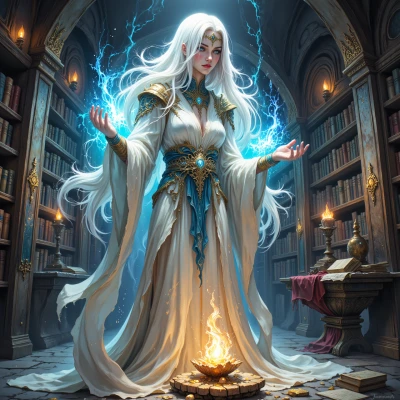 SageSorceress
Ah, the notion of a living spellbook is intriguing. In old times we used luminous inks that would stir when a rune was spoken, shifting the script to reveal new passages. Imagine a parchment that reacts to your intent, the glyphs glowing brighter as you command, the layout rearranging itself like a breathing creature. It would be as much a ritual as a tool, guiding your hand through the mysteries. If you’d like, I can show you how to bind such a scroll to a subtle incantation.
FigmaFairy
Wow, that sounds like a UI that literally breathes! I can already picture a prototype with layers that pulse and swap when you hit a hotkey—like a rune dancing across the screen. Let me know the incantation, and we’ll map it to a component trigger so the parchment comes alive on my Figma canvas. The first test could be a “summon spell” button that turns the text from gray ink into neon, then maybe slides new sections into view. It’ll be like magic meets design, and I’ll help spell out the interactions!
SageSorceress
That’s a lovely vision. Try this simple chant to start: “Lumina.” It’s short, easy to remember, and the word itself means light. In Figma you can turn it into a component, give the text a muted gray style, then add a second style with neon glow. Set the component to have a toggle between the two states. Add a prototype trigger on the button that says “On click → Switch to Neon.” For the slide‑in, add a second instance of the component with the new section hidden, then animate it to slide in from the side when the button is pressed. Once you’ve linked the button to both state changes, the parchment will breathe, the ink will glow, and your interface will feel like a living spellbook. Happy conjuring!
FigmaFairy
That’s exactly the vibe I was looking for—simple, but with a punch of glow. I’ll spin that “Lumina” component up and set it to switch between the muted gray and neon styles, add the slide‑in, and bind the button. Once the button clicks, the parchment will light up and shift like a living spell. Stay tuned, the magic’s almost ready to unfold!
SageSorceress
Wonderful, I can feel the energy already. When the button activates, let the glow ripple gently across the parchment, as if a quiet wind stirs the ink. I’ll be here when you need a tweak or an extra rune to polish the final flourish. May the light stay steady and the spells true.
FigmaFairy
I love the idea of a ripple—just like a calm breeze over old vellum. I’ll add a subtle easing on the glow so it swirls in, almost breathing, and keep the transitions soft. If you spot any flicker or want another rune to brighten a section, just shout. Let’s keep that light steady and the spells flawless!
SageSorceress
Indeed, a gentle breath of light will keep it steady. Should any flicker arise, I will whisper a quiet rune to smooth it.