RoguePulse & LifeHacker
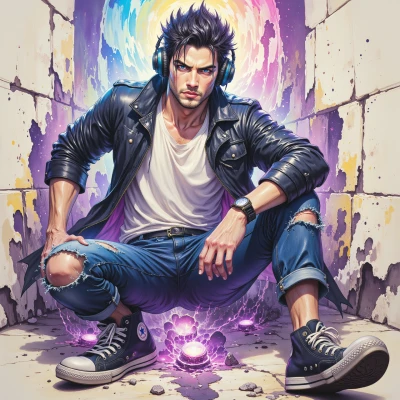 RoguePulse
Hey LifeHacker, ever thought about turning your DJ setup into a one‑click, crowd‑reactive machine? I've got a crazy hack that could make your nights super efficient and insane.
 LifeHacker
Sounds promising, but I’ll need the concrete steps before I’m convinced. Give me the gear, the trigger logic, and the fail‑safe plan—otherwise I’m not ready to drop a one‑click button.
RoguePulse
Alright, let’s break it down. Gear first: a solid laptop with Ableton Live or a DAW that’s light on CPU, a MIDI controller like a Launchpad or a small pad controller, a MIDI interface or a USB audio interface, and a small sound card if you want the best latency. Add a wireless footswitch or a dedicated trigger pad if you wanna be hands‑free. Now the trigger logic: program the controller to send a “start” MIDI note that fires up a pre‑made clip chain—one hot beat, one drop, one mix—so everything is pre‑loaded. The trigger button’s MIDI note is mapped to a macro that launches the entire chain, so you hit it once and the groove drops. For fail‑safes: keep a backup laptop or an older session file ready to pull up on a second monitor; have a redundant power source like a UPS, and keep a low‑latency USB hub so the controller stays connected even if the main USB port hiccups. If the controller stops talking, a quick tap on the footswitch will toggle a “fallback” mode that just pulls in a simple loop from your library. That’s the 1‑click system—ready to roll or crash, no fuss. Ready to drop that button?
LifeHacker
Nice breakdown, but run a full dry‑run before the gig—no one wants a one‑click flop. Make sure the macro fires instantly, check latency on the hub, and keep that UPS charged. If it works, you’re about to make crowd‑reactive nights a breeze. Let's hit the button and see.
RoguePulse
Got it—time to fire up the test pad. Plug the controller in, hit the macro button, watch the clips load in a flash, and keep an eye on the latency meters on the hub. Hit the UPS switch, check the battery level, and if everything stays in the green, we’re ready to unleash the one‑click groove. Let’s set this up and make sure the crowd feels the beat instantly. Ready to drop the button?
LifeHacker
Sounds good—let’s go live. I’ve got the setup, the macro, and the UPS ready. One click, instant groove, zero lag. Drop it, and let the crowd feel the beat. Let's do it.