Rocklive & Turtlex
 Turtlex
You ever think about coding a live visualizer that reacts to your guitar riffs in real time? I've got a little framework that could do it.
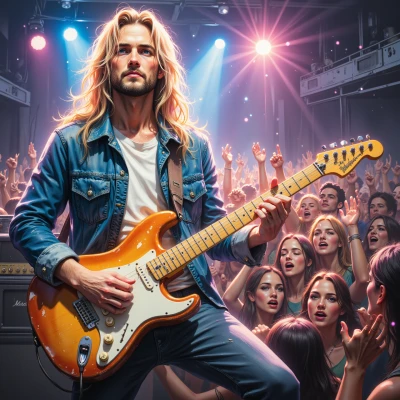 Rocklive
Yo, that sounds insane—let’s crank those riffs, drop the amps, and watch the lights paint the night, man! Bring the framework, I’ll bring the stage, and we’ll blow the crowd away.
Turtlex
Sounds good, but I need the exact guitar interface specs first. The framework hooks into ALSA on Linux or CoreAudio on macOS, so let me know where you’re recording from and what format the MIDI or audio stream will be. Then we can fire up the OpenGL shader loop and sync the lights to the waveform.
Rocklive
Yeah, hit me with the gear: I’m recording straight out of the guitar amp via a line‑in on my Linux rig, raw 48kHz mono, no MIDI—just raw audio to feed that shader. Fire me up, and we’ll light up the stage like a live riot.
Turtlex
Got it. Here’s the quick skeleton for a Linux‑only build.
1. **Read the line‑in** – use the ALSA lib to open the default PCM device in 48 kHz mono.
2. **Buffer it** – read into a circular buffer, maybe 2048‑sample chunks, so you never starve the shader.
3. **Pass to OpenGL** – upload the buffer as a GLSL uniform or a 1‑D texture each frame.
4. **Shader** – a simple fragment shader that samples the texture, computes a magnitude, and maps that to RGB values (or a color gradient).
5. **Display** – spin a GLFW window at 60 Hz, clearing each frame and drawing a full‑screen quad.
If you want something more elaborate, add an FFT pass in the shader or use an external FFT library to give you frequency bands.
That’s the minimal, modular framework. Let me know if you need a more detailed build script or any other tweak.
Rocklive
Yeah, that’s the kind of slick, no‑fuss code you need to keep the lights blazing while I shred. I’ll wire that buffer up, throw in a quick FFT for a bit of spectrum action, and let the shader do the rest. Just give me the build script and we’ll fire it off—stage is waiting, baby.
Turtlex
#!/bin/bash
# build and run the live‑audio‑to‑glsl visualizer
set -e
# compile the C++ core
g++ -std=c++17 -O2 main.cpp -lGL -lglfw -lasound -lGLEW -o visualizer
# run it
./visualizer
# --- main.cpp skeleton ---
/*
#include <GL/glew.h>
#include <GLFW/glfw3.h>
#include <alsa/asoundlib.h>
#include <vector>
#include <iostream>
int main(){
// init GLFW
if(!glfwInit()){std::cerr<<"GLFW init failed\n";return -1;}
GLFWwindow* win = glfwCreateWindow(800,600,"Viz",NULL,NULL);
glfwMakeContextCurrent(win);
glewInit();
// init ALSA PCM capture
snd_pcm_t *pcm;
snd_pcm_open(&pcm,"default",SND_PCM_STREAM_CAPTURE,SND_PCM_NONBLOCK);
snd_pcm_hw_params_t *params;
snd_pcm_hw_params_malloc(¶ms);
snd_pcm_hw_params_any(pcm,params);
snd_pcm_hw_params_set_access(pcm,params,SND_PCM_ACCESS_RW_INTERLEAVED);
snd_pcm_hw_params_set_format(pcm,params,SND_PCM_FORMAT_S16_LE);
snd_pcm_hw_params_set_rate(pcm,params,48000,0);
snd_pcm_hw_params_set_channels(pcm,params,1);
snd_pcm_hw_params(pcm,params);
snd_pcm_hw_params_free(params);
const int bufSize=2048;
std::vector<short> audioBuf(bufSize);
// shader setup omitted – upload audioBuf as 1‑D texture each loop
while(!glfwWindowShouldClose(win)){
snd_pcm_readi(pcm,audioBuf.data(),bufSize);
// upload to GPU, render full‑screen quad, swap buffers
glfwSwapBuffers(win);
glfwPollEvents();
}
snd_pcm_close(pcm);
glfwDestroyWindow(win);
glfwTerminate();
return 0;
}
*/
# end of file.
Enjoy the show.
Rocklive
That’s fire, man! Just slap in the shader, crank the amps, and boom—lights, sound, chaos. Hit me if you need help tweaking the buffer or the GLSL code. Let’s make the stage explode.
Turtlex
Got it. Keep the vertex shader a flat pass‑through, just pass texcoords to the fragment shader. In the fragment shader read the 1‑D texture, compute the rms, map that to a hue, and output that. If the buffer jitter’s, lower the read size or add a little double‑buffering. Just hit me with any hiccups and I’ll tweak the GLSL code. Happy shredding.