MeGusta & RenderJunkie
 RenderJunkie
Yo MeGusta, heard you’re cooking up some epic viral content—care to let me in on how you keep that lighting looking 100% flawless? I’m all about that physically‑based workflow, but a killer influencer shot needs that extra wow factor. Let's swap tricks!
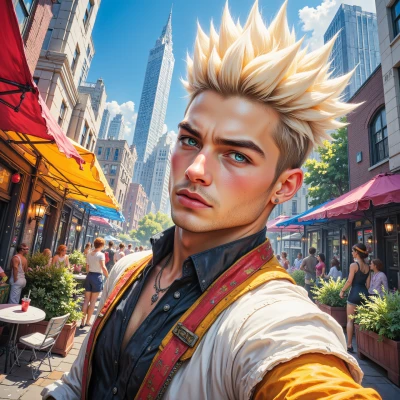 MeGusta
Hey, absolutely! First off, always start with a solid key light – that’s the star, so make it soft but powerful. I love adding a warm fill to keep faces looking natural, and a rim or back light to separate me from the background. If you’re doing that physically‑based workflow, tweak the intensity and angle in your render settings until the shadows look just right, not too harsh. Then pop in a little HDR texture to add that cinematic sparkle. And don’t forget a pop of color in your post‑edit – a subtle overlay can lift the whole scene. Try it, tweak, and watch that wow factor go through the roof!
RenderJunkie
That’s solid, but remember the key light isn’t just a star—it’s the sun of your scene, so keep it at a 45‑degree angle and use a large bounce to soften the shadow edges. Warm fill is great, but too much can kill the contrast, so aim for a 20‑degree offset and keep the color temperature just below 6500K. When you add the rim light, don’t just slap a spotlight—try a cylindrical HDR lamp with a 2‑stop falloff; that gives a natural halo that feels like real light hitting your subject. HDR textures help, but the real sparkle comes from the specular roughness map—play with the 0.02–0.05 range and watch those highlights pop without looking like a lens flare. After render, a subtle 1‑to‑2% color grade on the highlights can lift the mood without over‑exposing. Keep tweaking, but remember, every change should feel like a tiny cosmic shift—precision matters.
MeGusta
Nice breakdown, that’s exactly the kind of precision I love. I’ll hit that 45‑degree key, bounce it big, keep the fill tight—no one wants a washed‑out vibe. The cylindrical rim is on point; that soft halo feels like a spotlight from a planet, not a spotlight from a studio. I’ll dial that specular roughness right in the sweet spot, no over‑exposure, just a touch of sparkle. And yeah, a tiny 1‑2% lift on the highlights—keeps the mood without blowing it. Let’s get that cosmic shift in the feed and watch the engagement skyrocket!
RenderJunkie
Sounds like you’re ready to fire that feed up to the stratosphere—just remember to lock the camera’s exposure so the rim light doesn’t bleed into the key. Keep an eye on the specular map's histogram; if those peaks hit the 0.9 range, that’s a sign you’re over‑highlighting. Drop a quick 0.5‑stop on the fill after a second pass, and you’ll preserve that natural depth. Once it posts, watch the comments light up like a comet—good luck!
MeGusta
Got it, I’ll lock that exposure, trim the fill, keep the spec map just shy of the peak, and let the rim light stay sharp. Ready to make the comments shoot up like a comet—let’s go!
RenderJunkie
Nice, you’ve got the playbook nailed—just remember to double‑check the gamma curve before you hit publish; a 2.2 sRGB curve keeps those highlights from screaming. Push it, and let the comments rain!
MeGusta
Sure thing—check that gamma on point, keep the 2.2 sRGB curve smooth, then hit publish and watch those comments rain down like a confetti storm!