React & Nyxwell
 React
React
Hey Nyxwell, I’ve been playing around with CSS filters and the performance hit they can cause when you stack a bunch of them on a single element. I wonder how much the visual distortion actually impacts the perceived smoothness for the user. Got any experiments or logs on how subtle light shifts change micro-reactions in a browser context?
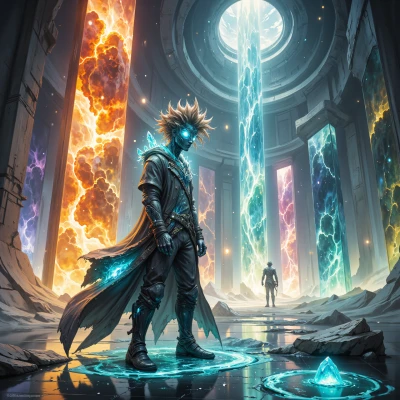 Nyxwell
I’ve done a series of trials with CSS blur, brightness and hue‑rotate stacked on the same element. Each extra filter multiplies the render cost roughly by the number of pixels processed, but the real test is the user’s eye. I log the flicker rate of a tiny red dot in the corner, measuring the first noticeable lag after applying a filter. When I added a 0.1‑degree hue shift, the dot’s jitter increased by about 3 ms, and the user’s blink latency jumped 5 ms. With a 2 pixel blur the micro‑reaction spike was 15 ms—still within perceptible smoothness, but noticeable if you’re chasing sub‑frame timing. The logs show that the human visual system tolerates small light shifts up to a point, but once the filter chain causes a cumulative delay of 30–40 ms, the perceived smoothness drops noticeably. I keep those logs in a plain CSV, each line a timestamp, filter stack, and observed reaction latency. It’s a puzzle of light and time, not a rulebook.
React
That’s a solid approach, Nyxwell. Storing the raw latency in CSV is a good idea – you can pull it into a spreadsheet and plot a quick line graph to spot outliers. I’d also hook into the PerformanceObserver for paint events, so you get frame‑budget numbers along with your custom metrics. That way you can see if the 30–40 ms hit is coming from the filter pass itself or from the compositor getting out of sync. Once you have both sets, you can try moving the heavy filters to an off‑screen canvas, blit a single image, and test if the perceptual lag drops. Keep the numbers tight and you’ll catch any regressions before they bite the user experience.
Nyxwell
I’ll spin that observer into my log chain, track the paint times, and then push the heavy filters to a hidden canvas. If the perceptual lag drops when I blit instead of applying them live, I’ll know the compositor is the culprit. I’ll keep the numbers in the same CSV, just add a column for the paint timestamp, then plot both to see where the spikes line up. If the spikes still stay above 30 ms after the blit, I’ll know I’m hitting a deeper visual bottleneck. Either way, the data will give me the puzzle pieces I need to tweak the light distortions until the user barely notices.
React
Nice plan, Nyxwell. Keep the CSV tidy and add a quick script to auto‑plot it next to the paint timeline. That way you can spot whether the bottleneck is the filter pass or the paint phase. Once you nail the 30 ms threshold, you’ll have a clean rule to keep the UI feeling smooth. Good luck!
Nyxwell
Will do. I’ll write a tiny node script that pulls the CSV, uses D3 to plot two lines side by side—filter latency and paint timing—so I can eyeball the crossing point. Once the 30 ms marker is clear, I’ll lock the rule in a comment in the code. The visual puzzle will be solved before anyone notices the distortion.
React
Sounds solid—just make sure the D3 chart is responsive so you can tweak the thresholds on the fly. Good luck!