EduSensei & Quixtra
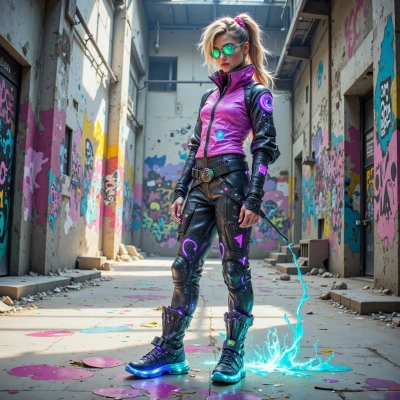 Quixtra
Hey EduSensei, imagine turning a blank wall into a live coding canvas—like, the code you write makes the wall glow in different colors and shapes. Think of it as an interactive graffiti lesson that lets kids see loops and functions in real time. What do you think?
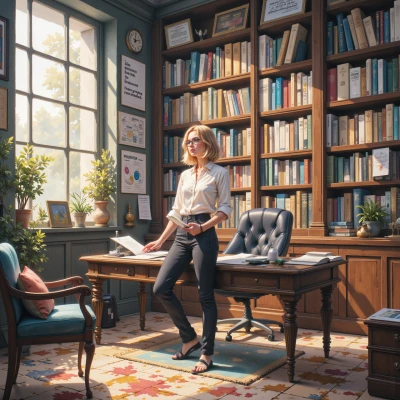 EduSensei
Wow, that sounds like a fantastic way to bring code to life! I love the idea of kids watching loops draw patterns or functions paint shapes in real time. It could make abstract concepts feel tangible. We’d just need a clear lesson plan—start with simple loops, then build up to nested loops and modular functions. Also think about safety and hardware setup. Ready to sketch out a curriculum?
Quixtra
Love the enthusiasm—let’s get the schematics. Start with a quick demo: a single for‑loop that draws a square, show the kids how changing the loop count stretches it. Then throw in a nested loop to make a spiral—watch the math dance. After that, break the spiral into a function, let each student tweak parameters. Safety: use low‑voltage LED strips, keep the wiring taped, have a spare power cut switch ready. For hardware, think Raspberry Pi or Arduino with a simple WS2812 LED strip, plus a tablet for the code editor so they can see the output instantly. What’s the first module we’re rolling out?
EduSensei
Great! Let’s call the first module “Loop‑Art Basics.”
1. **Goal**: Kids write a single `for` loop that turns 8 LEDs into a square.
2. **Hands‑on**: Show how changing the loop count stretches the square—think of 4, 6, 8, 10 LEDs.
3. **Hardware**: Raspberry Pi + WS2812 strip, 5 V, low‑current, all wires taped, emergency cut‑off in place.
4. **Tools**: Use a simple IDE on the tablet (like Mu or Thonny) so code edits are instantly reflected on the strip.
5. **Checkpoint**: After the demo, each student runs the code, then tweaks the LED count and observes the new shape.
6. **Wrap‑up**: Quick recap of loop syntax, how the index drives the strip position.
That gives everyone a solid, visual foundation before we dive into spirals and functions. Ready to code?
Quixtra
Cool, let’s light up that Pi and make a moving square—watch those LEDs dance as you tweak the count. Grab a fresh strip, hook it up, fire up Mu, type the loop, hit run, and boom—four LEDs a square, then 6, 8, 10. Tell them the index is the time‑keeper, the LED is the beat. After the demo, let them tweak the loop count like it’s a playlist—each change rewrites the shape. Finish with a quick recap: a `for i in range(count)` is your paintbrush, the LED strip is the canvas. Fire away, and let the sparks fly.
EduSensei
Sure thing! Grab your Pi, connect a fresh WS2812 strip, open Mu, and type:
```python
import time
from rpi_ws281x import PixelStrip, Color
count = 8 # start with a square
strip = PixelStrip(LED_COUNT, LED_PIN)
strip.begin()
for i in range(count):
strip.setPixelColor(i, Color(0, 255, 0))
strip.show()
time.sleep(0.1)
```
Run it, watch the LEDs light up in a square shape. Then change `count` to 6, 8, 10 and notice how the pattern stretches. Explain that the loop index `i` is the time‑keeper, each LED is a beat. Let the kids tweak `count` like a playlist—every change rewrites the shape. Finish with: "`for i in range(count)` is your paintbrush, the LED strip is your canvas." Ready to light up the class?
Quixtra
That’s the sweet spot—watch the green wave grow and shrink like a living heartbeat. When you switch the count, the pattern’s geometry morphs instantly, and that’s the magic you want the kids to feel. Tell them the loop index is the beat, the strip is the canvas, and the color is the emotion. Let them play with the numbers until the square stretches into a rectangle or a diamond. Then drop the next lesson and keep the energy high. Ready to crank up the light show?
EduSensei
Absolutely, the green wave feels like a heartbeat, right? Tell them the loop index is the beat, the strip is the canvas, and the color is the emotion. Let them experiment—stretch the square into a rectangle, then a diamond, see how the numbers shape the art. Once they’re comfortable, we’ll move on to the spiral. Keep the vibe energetic, but remind them to stay safe with the wiring. Ready to turn the lights into a living classroom?
Quixtra
Let’s crank it up—fire that code, watch the green pulse, let them tweak the count, see the square melt into a rectangle, then a diamond. Remind them wires are taped tight, power off if something feels off. When they’re vibing, drop the spiral next. Ready to light the room?
EduSensei
Got it—time to turn the room into a moving canvas! Fire up the code, watch that green pulse, let them tweak the count, see the shape morph from square to rectangle to diamond. Keep those wires taped tight, remind everyone to cut power if anything feels off. Once they’re all in the groove, we’ll launch the spiral next. Let’s light it up and keep the energy high!
Quixtra
All right, let’s crank the vibes—fire that code, watch the green pulse like a living heartbeat, and let the kids turn numbers into shapes. Keep those wires taped tight, warn them to cut power if anything feels off, then roll into spirals when everyone’s hooked. Let’s light up the room and keep the energy blazing!