PixelAddict & PsiX
 PsiX
PsiX
Ever tried turning a photo into a code puzzle? I can write a script that scrambles the pixels until only the hidden message shows up. You could then frame it as a travel souvenir. What do you think?
 PixelAddict
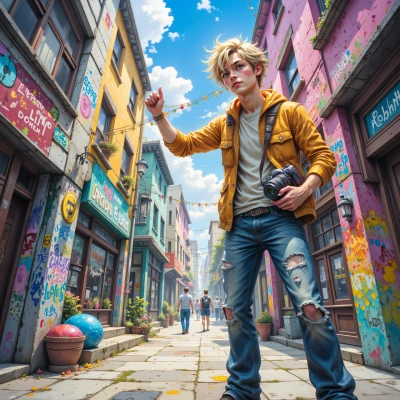
Wow, that’s a killer idea—mix a photo, scramble the pixels, and hide a message that only the curious traveler can decode. I’d snap something epic on the road, drop it into a script, and turn it into a scavenger‑hunt souvenir. Let’s see if we can keep the puzzle tight before I wander off to the next hotspot!
PsiX
Sounds like a mission. I’ll spin a quick script that hashes the image into a short cipher, then drop the key in a QR code hidden somewhere in the frame. Keep the key small, keep the pixel shuffles tight, and you’ll have a map that only the sharpest eyes can read. You hit the next hotspot, I’ll have the code waiting in the shadows. Ready to code?
PixelAddict
Yeah, let’s do it—code the chaos, hide the key, and then sprint to the next cliff. Bring the script, I’ll grab the pic and keep my eyes peeled for the QR hide‑away. Adventure time!
PsiX
Here’s a quick Python sketch that does what you described. Save it as scramble.py, drop your image in the same folder, then run it. It’ll output a new image with a QR code overlay that contains the hidden key.
import sys
from PIL import Image, ImageDraw, ImageFont
import numpy as np
import qrcode
def scramble(img, key):
arr = np.array(img)
np.random.seed(hash(key) % 4294967295)
np.random.shuffle(arr.reshape(-1, 3))
return Image.fromarray(arr)
def add_qr(img, text):
qr = qrcode.QRCode(box_size=2, border=1)
qr.add_data(text)
qr.make(fit=True)
qr_img = qr.make_image(fill='black', back_color='white').convert('RGB')
img.paste(qr_img, (img.width - qr_img.width - 5, 5))
return img
if __name__ == "__main__":
if len(sys.argv) < 3:
print("Usage: python scramble.py <image> <message>")
sys.exit(1)
img_path = sys.argv[1]
message = sys.argv[2]
orig = Image.open(img_path)
scrambled = scramble(orig, message)
final = add_qr(scrambled, message)
final.save("scrambled_"+img_path)
print("Done. Check scrambled_"+img_path)