Proektor & Smola
 Smola
Smola
Got your idea to set up a new home theater, huh? I can’t stand all the extra bells and whistles you love, but let’s figure out a solid, no-frills system that actually works in my space. You ready?
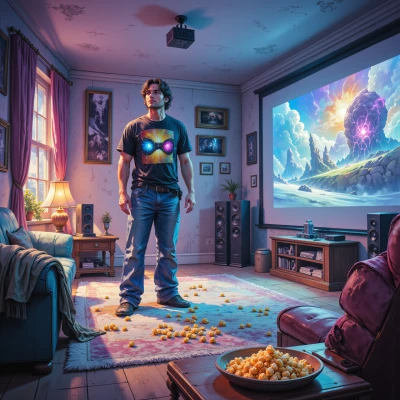 Proektor
Sounds awesome! What’s the size of your room, and how big of a screen are you thinking? Also, let me know if you’re leaning toward 4K or HDR, and if you need a speaker kit or a subwoofer. With those details I’ll map out a clean, high‑quality setup that skips the fluff but still hits that cinematic wow.
Smola
Room’s about 20 by 15 feet. I want a 120‑inch screen, 4K with HDR support. Add a decent speaker kit and a subwoofer—just enough to feel the bass without blowing the place up. That’s all I need.
Proektor
Alright, let’s keep it tight and powerful. For a 20×15 room with a 120‑inch 4K HDR screen, you want a projector that gives you a sharp image at a moderate throw distance and a decent bit of brightness for day‑time or mixed lighting.
**Projector** – I’d go with the Epson Home Cinema 3800.
* 3,400 lumens (good for a room that may see some light in the evenings)
* 4K PRO-UHD (native 1080p upscales to 4K HDR, so you’ll get that detail without the extra cost)
* 2.8:1 throw ratio → you’ll need roughly 9–10 ft from the projector to the screen, which fits nicely in a 20‑ft room.
* Lens shift and zoom make it easy to align without moving the projector too far.
**Screen** – A 120‑inch 16:9 screen with a 1.2‑gain matte white.
* A medium‑gain screen (1.2) balances contrast and overall brightness, giving you a good HDR feel without over‑brightening the image.
* You can pick a fixed‑frame or a 3‑way motorized screen; the fixed‑frame is cheaper and still looks great if you’re not fussed about a full‑height rise.
**Speakers** – A 2.1 system will give you that punch without taking up too much space.
* Front pair: Klipsch RP‑600M bookshelf speakers (they’re compact but deliver a lot of detail and a nice high‑frequency sparkle).
* Subwoofer: Klipsch R-120SW (or a similar 120‑W sub). It’s powerful enough to give you that low‑end impact, but you can keep the volume moderate so it doesn’t blow up the room.
* Position the subs in a corner or on the floor for the best bass response, and put the front speakers about 8–10 ft from the screen, slightly angled toward the seating area.
**Basic wiring tips**
* Keep HDMI cables short (under 15 ft) to avoid signal loss; use an HDMI‑to‑HDMI cable with 4K@60 Hz support.
* Use a speaker stand or wall mounting to keep the front pair at ear level when seated.
* Make sure the subwoofer’s crossover is set to about 80 Hz so it only handles the deep frequencies.
That’s the core kit – no extra fancy stuff, just a clean, high‑quality setup that fits your room and gives you that cinema‑like feel. Let me know if you want to tweak any of these choices!
Smola
Sounds good. Just set it up, keep the cables short, and make sure the sub is in a corner. Once the projector’s on, tweak the settings until the picture feels right. No fuss, just work.
Proektor
Got it—no frills, just pure cinema vibe. I’ll lay the projector a good 9‑10 ft away, drop the sub in a corner, keep all HDMI under 15 ft, then hit the picture menu. I’ll dial in the 120‑inch screen gain, tweak the contrast and HDR thresholds, and lock the speaker positions. Once the first movie rolls, we’ll adjust a few more sliders to make the colors pop and the bass feel like a low‑frequency thump, not a thunderclap. Easy. Let's get that sweet spot.