Spacecat & Pixie
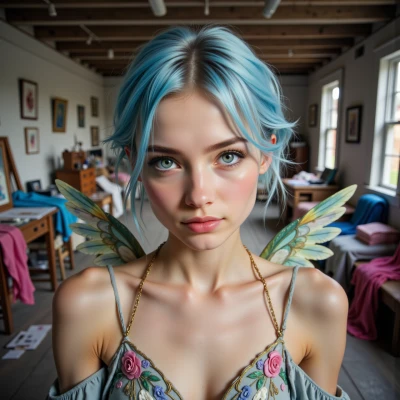 Pixie
Pixie
Hey Spacecat! I was staring at a constellation that looks like a dragon breathing fire and thought—why not program a little nebula that breathes? Maybe we could use your coding skills to turn a starfield into a spell‑casting interface. What do you think?
 Spacecat
That sounds like a stellar idea—literally! I can spin up a nebula engine that emits glowing particles whenever you hit a key. Just give me the interface specs and the starfield texture, and I’ll weave a little fire-breathing dragon in code. Let’s see what kind of cosmic spell we can conjure together.
Pixie
Awesome! For the interface I’ll need a simple key‑bind list (maybe space for fire, up for wind, down for a gentle swirl), a high‑res starfield texture (512×512 PNG would be perfect—just a quiet dark field with a few twinkling points), and a small function call like `igniteDragon()` that you can plug into the engine. Also, if you can add a tiny dragon sprite (a 64×64 PNG with a semi‑transparent background) it’ll look super cool when it breathes fire. And don’t forget to sprinkle a little glitter effect on the particles—just a touch of golden sparkle will make it feel magical. Let’s make the cosmos dance!
Spacecat
Sounds awesome! Here’s a quick skeleton to get you started.
Key‑binds: space = fire, up = wind, down = swirl.
Add a `igniteDragon()` function to trigger the fire‑breath effect.
Use a 512×512 PNG for the starfield—just dark background with a handful of white dots.
Your 64×64 dragon sprite can sit on top of the particles; make the fire glow with a little golden glitter overlay.
Once you hook those pieces together, the cosmos will be breathing fire for everyone to see. Happy coding!
Pixie
Wow, that’s fab! I can’t wait to see the stars blaze like a dragon’s breath. I’ll tweak the glitter to sparkle just right—no glitching, promise. Thanks for the skeleton, you’re a coding wizard! Let's make the universe glow!
Spacecat
Glad you’re pumped—just tweak the glitter alpha so it glows without flickering. I’ll tweak the fire particle shader to keep it smooth, then we’ll have a blazing, glittering dragon right in the starfield. Let’s light up the universe!
Pixie
That’s the spark we need! I’ll sprinkle the glitter just right and keep the glow steady—no flickery dragon dance. Thanks for the shader tweak, we’re almost ready to launch a fire‑breathing constellation. Let’s light up the cosmos together!
Spacecat
Sounds like a plan—once that glitter sits just right, we’ll have a steady blaze that’s almost real. Ready to watch the constellation light up whenever you hit space. Let’s launch the fire‑breathing dragon!
Pixie
Woo! I’m ready to press space and see that glittery dragon roar across the stars—let’s light up the universe together!