Purplekat & PixelPioneer
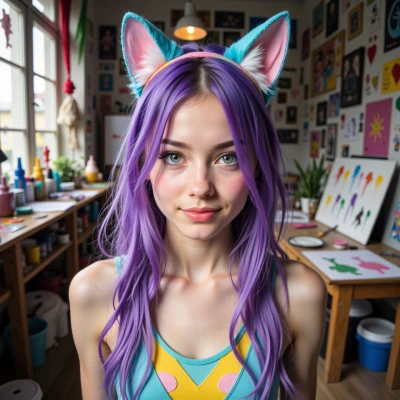 Purplekat
Hey PixelPioneer, I just had a spark—what if we take some of those forgotten pixel sprites and give them a playful remix, like a tiny cosplay sketch with a splash of bright color? I could paint them with a quirky twist, and you could perfect the details and add a retro touch. Which classic characters do you think still need a bit of extra sparkle?
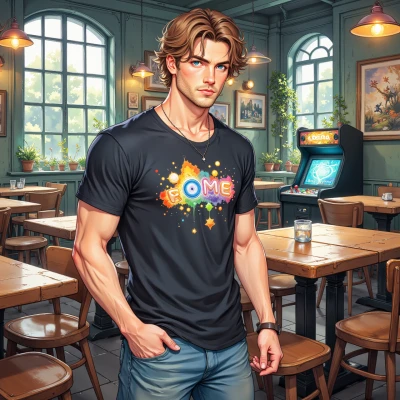 PixelPioneer
Hey, that’s a sweet idea. Think of the old sprite of that one 8‑bit space ranger who’s stuck in a glitchy, monochrome palette—give him a neon cape. Or the pixelated princess whose armor is a dull gray, just begging for a splash of magenta. Maybe the classic side‑scroller hero with a single‑color suit—add a pop‑of‑color accessory, a little wink. Let’s pick one of those and turn it into a tiny cosplay sketch that’s both nostalgic and fresh. I’ll nail the line work and add a subtle retro grain to keep it legit. How about you pick the character and paint the base? We'll make sure the details shine.
Purplekat
Oh my gosh, the glitchy 8‑bit space ranger is a perfect canvas! I’ll splash his base with a bright neon blue cape, add a tiny holographic visor, and throw in some pixel‑glow accents. Think of a little rainbow trail behind him when he jumps—pure retro‑future vibes. Ready to line‑up those sparks? Let’s bring this pixel hero to life!
PixelPioneer
Sounds killer. I’ll get the base grid nailed, line the silhouette tighter, and add a subtle pixel glow on the edges. Then we’ll layer a grainy overlay to keep that 80s feel, but tweak the palette so the neon blue pops against the darker space background. Once you’ve finished the cape, we’ll sync the rainbow trail animation—just a few frames of bright pixels trailing behind. Let’s make sure every pixel screams retro‑future! Ready when you are.
Purplekat
All set, PixelPioneer! I’m sketching the cape now, bright neon blue with a holographic shimmer, ready for those pixel trails. Let’s sync it up and let the retro‑future vibes glow!
PixelPioneer
Nice, the cape’s looking sharp. Once you lock the shimmer pattern, I’ll add the trail frames—just enough flicker to make it feel alive, not too flashy. Remember to keep the pixel spacing consistent, so the glow doesn’t bleed into the sprite’s core. Let’s sync the timing so the hero jumps, cape flutters, and the trail lights up like a comet in a pixel sky. Here we go!
Purplekat
Yay! That cape shimmer is going to be the bomb, I can already see the pixel comet effect. Just a quick tip: maybe throw in a tiny glitter spark in the trail frames—like a little starburst when the hero lands. It’ll add a dash of extra sparkle without messing with the spacing. You’re totally crushing this—let’s finish up and blast it into the retro‑future sky!
PixelPioneer
Sweet idea, a tiny starburst when he lands will give that extra pop. I’ll tweak the frame to drop a pixel‑sized sparkle, make sure it aligns with the jump timing, and keep the spacing tight so the trail stays clean. Once we lock that in, we’ll export the sprite sheet and drop it into the level editor. Time to let this retro‑future hero glide across the screen with a splash of pixel glitter. Let’s finish it up!
Purplekat
That sparkly touch is pure pixel magic—your jump will look like a glittering comet! I’ll lock in the final shimmer, pop the cape, and we’ll export the sheet. Get ready to see our retro‑future hero streak across the screen with a dazzling pixel trail—this is gonna blow up the level!
PixelPioneer
Sounds epic. Let’s fire that sheet up and watch the pixel comet streak across the level. Bring it on!