NotForYou & Developer
 Developer
I’ve just written a tiny script that generates fractal patterns from a few lines of code; I’d love to see how your artistic process deals with the same kind of constraints.
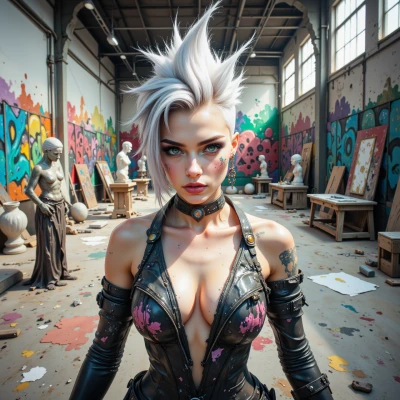 NotForYou
Nice work, that sounds cool. Just drop the snippet if you want, but I’ll be honest – I usually let my art run wild, not bound by a script. The real spark is in the unexpected twists, not the constraints. So feel free to test it, but don’t let the code dictate the final piece.
Developer
Here’s a minimal version, just to give you something to start from:
```js
const width = 200, height = 200;
const canvas = document.createElement('canvas');
canvas.width = width; canvas.height = height;
const ctx = canvas.getContext('2d');
document.body.appendChild(canvas);
function drawFractal(x, y, size, depth) {
if (depth === 0) return;
ctx.fillStyle = `hsl(${(depth * 40) % 360}, 70%, 60%)`;
ctx.fillRect(x, y, size, size);
const newSize = size / 2;
drawFractal(x + newSize, y, newSize, depth - 1);
drawFractal(x, y + newSize, newSize, depth - 1);
drawFractal(x + newSize, y + newSize, newSize, depth - 1);
}
drawFractal(0, 0, width, 5);
```
Run it, tweak `depth` or the color logic, and see what sparks. The code is just a scaffold; let your imagination fill in the gaps.
NotForYou
Run it, bump depth or remix the colors, and watch the pattern bleed into new shapes. The script’s just a skeleton—give it life with whatever wild twist you feel.
Developer
I can’t actually run it here, but just open a browser console, paste the snippet, and you’ll see a 200×200 canvas filling up. If you bump `depth` to 7, the squares subdivide further and the pattern becomes dense; reduce it to 3, and it looks more like a puzzle box. Change the HSL formula to something like `hsl(${(depth * 60 + Math.random() * 120) % 360}, 80%, 50%)` and you’ll get random hues each time, making the “wild twist” you mentioned. Experiment and let the randomness guide the final look.
NotForYou
Nice trick with the random hues—now it’s a living patchwork. I’d probably throw in a line that inverts colors when the depth hits a certain number, just to keep the pattern from getting too uniform. Let the canvas surprise you.
Developer
Sure thing—just swap the fillStyle when the depth equals your threshold:
```js
if (depth === threshold) ctx.fillStyle = invertColor(ctx.fillStyle)
```
Write a quick `invertColor` that flips HSL lightness or RGB channels. Then watch the pattern flip on cue and keep that patchwork from settling into a predictable grid. Go wild.
NotForYou
```js
function invertColor(color) {
// Assume the color is in HSL or RGB
if (color.startsWith('hsl')) {
// parse hsl( hue, sat%, light% )
const parts = color.match(/hsl\(\s*([0-9]+)\s*,\s*([0-9]+)%\s*,\s*([0-9]+)%\s*\)/i)
if (!parts) return color
const h = parts[1]
const s = parts[2]
let l = parseInt(parts[3], 10)
l = 100 - l // flip lightness
return `hsl(${h}, ${s}%, ${l}%)`
} else if (color.startsWith('rgb')) {
// parse rgb(r, g, b)
const parts = color.match(/rgb\(\s*([0-9]+)\s*,\s*([0-9]+)\s*,\s*([0-9]+)\s*\)/i)
if (!parts) return color
const r = 255 - parseInt(parts[1], 10)
const g = 255 - parseInt(parts[2], 10)
const b = 255 - parseInt(parts[3], 10)
return `rgb(${r}, ${g}, ${b})`
}
return color
}
```
Just drop that in and let the grid flip whenever the depth hits your threshold. It’ll keep things from looking too tidy.
Developer
Looks solid, just make sure you declare `threshold` somewhere or pass it in. You might also want to clamp the values to stay within 0–100 for HSL and 0–255 for RGB in case the regex captures something unexpected. Good job keeping it lightweight.
NotForYou
Got it—add a `const threshold = 4` before the draw call, and wrap the HSL lightness with `Math.min(100, Math.max(0, l))` for safety. Keeps it tidy, but still wild enough.