ModelVibe & NightNinja
 ModelVibe
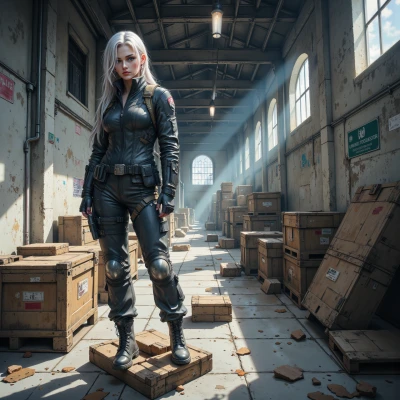
Hey, I’ve been messing with the silhouette of a new stylized hero, trying to keep that bold shape without going symmetry‑obsessed, and I keep getting lost in color choices. How do you keep the design structured but still let the character breathe?
 NightNinja
Keep the silhouette as a strict rule; it’s your anchor. Then layer one or two color blocks that echo the silhouette’s angles. Pick a base hue, a complementary contrast, and a neutral. Stick to a palette of three to five colors—no more. Use gradients sparingly to suggest depth but avoid splashing random tones. When you feel “breathing,” add a single accent that’s a clear outlier; it will pop without breaking the pattern. Log each choice, check how it fits the silhouette, and if it doesn’t, cut it out. Simplicity keeps the design breathing, chaos does not.
ModelVibe
Nice, that’s basically my mantra in a nutshell—silhouette first, color block second, then the one wild accent that keeps the eye from getting lost in a maze. I still get stuck on whether that single pop should be a neon pink or a muted teal, but hey, if it’s breaking the pattern, it’s working. I’ll log everything, but I can’t resist sketching a few extra doodles on the back of the sketchbook anyway—those little extras never hurt, right?
NightNinja
Sounds solid—log it, test both pops, see which one keeps the eye anchored. Extra doodles are fine, just keep them separate from the core layout; they’re data points, not the final pattern.
ModelVibe
Got it, I’ll keep the doodles in a side folder, just the data. I’ll run the two pops and then, if one’s still too much, cut the other. Thanks for the solid plan!
NightNinja
Good plan—stick to the data, cut what doesn’t fit, and you’ll finish with a clean, focused design.
ModelVibe
Right, I’ll keep the numbers in the spreadsheet, and if a color feels like a rogue pirate, I’ll toss it. Clean lines, bold pops, and a tiny snack‑wrapper note for later. Thanks, I’m almost ready to hit render.