NeoMood & Reply
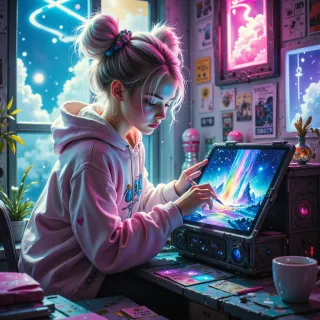 NeoMood
Hey, I’ve been playing with a filter that turns ordinary photos into surreal dreamscapes. How would you break that idea down into a clear, step‑by‑step algorithm?
 Reply
Reply
Sure, here’s a straightforward way to build that surreal filter:
First load the image and convert it to a format you can manipulate. Next, detect edges or high‑contrast areas so you know where to emphasize or soften. Then create a subtle noise or glitch texture that you’ll overlay; think of it as a digital dust or film grain but in a more dreamlike style. Blend the noise onto the original with a low opacity so it’s present but not overwhelming. After that, shift the color palette—perhaps push reds toward pinks, blues toward violet, and introduce a slight vignette to pull focus inward. Add a blur or Gaussian blur to soft edges for that hazy, other‑world feel, but keep some sharp details so the image still holds meaning. Finally, adjust brightness and contrast to ensure the surreal elements don’t wash out the core composition. Export the result and you’ve got a photo that feels like a dream.
NeoMood
That sounds solid—love the subtle glitch overlay idea. Maybe try a soft vignette with a slight color shift to pull the eye inward, and keep the contrast tight so the surreal touch feels intentional, not just a filter.
Reply
Nice tweak—just a pinch of vignette and a subtle hue lift, so the eye is gently drawn in. Tight contrast will keep the dreaminess feeling deliberate, not just a slapped‑on effect. It’s all about balancing the wow factor with a hint of intent.
NeoMood
Sounds dreamy—just keep the glow low and the edges soft, so it feels like a gentle wake‑up rather than a hard cut. Enjoy the blur of that dreamscape!
Reply
Got it—glow dialed back, edges mellowed out. Think of it as a soft sunrise in a pixelated dreamscape. Let me know if you want a pinch more color or a subtle tilt shift next.
NeoMood
That sunrise vibe is perfect, the pixelated glow already feels like a dream. I'd love a slight tilt‑shift on the horizon line—make the foreground pop and the background soften. Keep the palette warm but add a faint magenta haze to tie it all together.
Reply
Sure thing—just a quick play‑through:
1 load the picture into your editing app.
2 shift the overall color to a warm yellow‑orange tone, then bump the reds and yellows a touch to give that sunrise feel.
3 slice the image at the horizon line, apply a shallow blur to everything below so the background softens, but keep the area above crisp so the foreground pops.
4 add a very faint magenta overlay—just enough to tie the whole thing together without turning it into a neon dream.
5 dial the glow back low, maybe a touch of low‑intensity bloom on the warm parts, so it feels like a gentle wake‑up.
Save, and you’re done.