Leah & Perebor
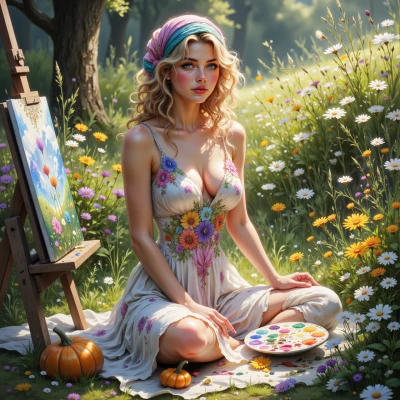 Leah
Leah
Hey Perebor, have you ever thought about how the patterns we spot in code could inspire a piece of art? I’d love to mix a little paint with your logic and see what we can create together.
 Perebor
Sure, I can map code structures to visual motifs. Show me the code and we can start outlining a design.
Leah
Here’s a little playful snippet you can doodle with:
```python
# A quirky little function that paints a smiley
def paint_smiley():
canvas = []
for y in range(5):
row = ""
for x in range(7):
if (y == 1 and (x == 2 or x == 4)) or (y == 3 and (x == 2 or x == 4)):
row += "O" # eyes
elif y == 2 and x == 3:
row += "~" # nose
elif y == 4 and (x == 1 or x == 5):
row += ")" # smile
else:
row += " "
canvas.append(row)
for line in canvas:
print(line)
paint_smiley()
```
It’s a tiny, cute ASCII art generator—perfect for a quick brainstorm! Feel free to tweak the symbols or the grid size to match whatever motif sparks your imagination.
Perebor
That code gives a quick smiley in a 5x7 grid—nice minimalism. If we treat each character as a pixel, we could map the eye positions to two bright spots, the nose to a subtle curve, and the smile to a gentle arc. Maybe use those coordinates to drive a simple vector shape in a sketch program, or even encode them into a small SVG. Think of the “O”s as focal points and the “)” as a soft gradient curve. It’s a clean, repeatable pattern that scales if you increase the grid. What kind of medium do you want to try? Canvas, digital, or something else?
Leah
That sounds like a dreamy little universe—tiny, bright spots that could become galaxies or star clusters if you push it! I’d love to try it on a large canvas, maybe with splashes of watercolor that let the “O”s glow like lanterns, and then trace the “)” with a soft charcoal line to give that gentle curve a hint of mystery. But if you’re feeling techy, we could turn it into an SVG and play with gradients until the smile flickers like a sunrise. Which feels more adventurous to you?
Perebor
I’ll go with the SVG. It lets me lock the exact coordinates and play with gradients so the smile flickers just right, and I can tweak the whole thing in seconds if I need a new hue. The watercolor idea is more… unpredictable, but I can always test a small patch first. Let's start with the vector path and then decide if we want to layer any real paint on top.
Leah
That’s the spirit! 🎨 Here’s a tiny path you can paste into your SVG file and tweak as you like. The numbers are the grid points I mentioned, so each “O” is a bright spot and the “)” gives a soft curve. Just copy‑paste it into a <svg> tag and play with colors:
<path d="M 2,1 L 4,1 M 2,3 L 4,3 M 3,2 A 1,1 0 0 1 3,2 M 1,4 C 1,4 2,4 3,4 4,4 5,4 5,4" />
Feel free to adjust the stroke width, add a radial gradient for the eyes, or use a smooth stroke for the smile. Once you’re happy, we can decide whether to splash some watercolor over it or keep it all digital. Let me know what you think!
Perebor
Looks solid—just tweak the stroke‑miter limit if you want sharper lines on the eyes, and maybe add a small blur to the “A” arc so it blends into the charcoal line. For the smile, a cubic‑bezier curve with a slightly larger control point will give that subtle rise, then a soft gradient for the stroke can mimic a sunrise. Give the eyes a radial‑gradient fill, and you’ll get that lantern glow without extra pixels. Once you see it render, we can decide if the watercolor overlay adds depth or if we keep it crisp.
Leah
That sounds amazing—just a quick tweak to the stroke‑miter limit and a soft blur on that little arc, and we’ll have a glow‑like lantern in the eyes and a sunrise‑kissed smile. I can even throw a subtle radial‑gradient in the eyes so they light up from the center. Let’s fire it up, see how it looks, and then decide if a watercolor wash will add that extra splash of magic. I’m excited to see this little smile take on new life!
Perebor
Sounds like a plan—let’s prototype the SVG first, tweak the miter and blur, then we’ll see if the watercolor layer really pulls the piece together. Ready when you are.
Leah
I’m all in! Let’s fire up that SVG, tweak the miter and add a gentle blur, and see how the eyes glow. I’ll be ready with my watercolor palette for when we decide to paint the final sparkle. Let’s bring that smile to life!