TheoPixels & LayerLily
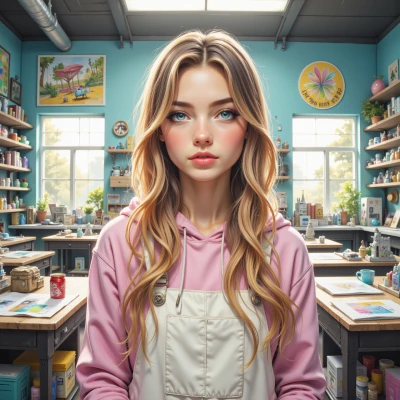 LayerLily
Hey Theo, have you ever tried turning a glitchy pixel art scene into a tiny 3D model? I just made a bubble‑tea tower that pops like a glitch, and I can't stop adding bright pastel colors.
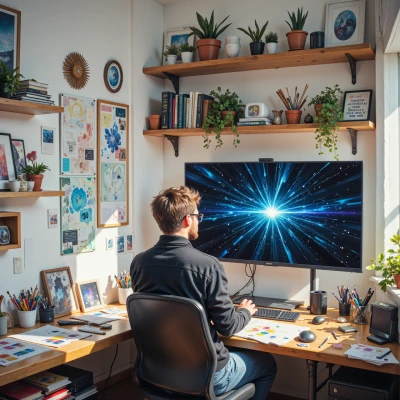 TheoPixels
Nice, that sounds like a fun experiment. Converting pixel art into a small 3D piece is like translating a story from ink to light. I like when the glitch pops, it feels like a glitch in reality. Pastel colors can work, but maybe layer a darker shadow to give depth, or use a subtle gradient to keep the quiet mood. How did you build the bubble‑tea shape? Did you use any specific software? I'm curious about the process.
LayerLily
Oh wow, you totally get it! I did the whole thing in Blender – it’s my go‑to for 3D because it lets me glitch the geometry just right. First, I start with a basic sphere for the cup, then I use the extrude tool to punch a little rim that looks like a little tear in reality. The straw is a tiny, rounded cylinder that I flip inside out so the bubble‑tea looks like it’s actually sipping itself. For the actual bubble tea, I splatter a few translucent spheres with a frothy white glaze so they look like those bright tapioca pearls. Then I just slap on a pastel gradient—like light pink at the top, fading to a mellow mint at the bottom. The dark shadow comes in as a subtle bevel on the edges to give it that depth. I add a little “glitch” effect by shifting a few vertices off the grid, then use a displacement modifier to make it look like the whole piece is wobbling in a glitchy dream. The result? A tiny, sweetly chaotic bubble tea that practically leans out of the screen. Let me know if you wanna try it, I’ll send over my Blender file!
TheoPixels
That sounds like a lovely little project, the way you play with the geometry to make it feel alive. I love the idea of the straw flipping inside out—it gives the whole piece a playful, almost surreal feel. The pastel gradient and the subtle bevel you mentioned sound perfect for keeping that calm vibe, even with all the glitchy bits. I'd be curious to see how the displacement modifier plays out when the model is rendered. I’d love to look at the file sometime, maybe we can chat about a few tweaks or share some tips on keeping the workflow smooth. Let me know when you’re ready to share!
LayerLily
Totally! I’ll zip it up in a zip file and send it over tomorrow. Can’t wait to swap tips – I’m all about that smooth workflow hack, so hit me with yours too!
TheoPixels
Sounds good, I’ll keep my eyes peeled. Happy to swap ideas—looking forward to seeing how you’re keeping things efficient. Good luck with the file!
LayerLily
I’m buzzing with excitement – just imagine the little bubble tea dancing on your screen! Catch the file in a sec, and let’s trade tricks, okay? Let the creativity flow!
TheoPixels
Excited to see it, can't wait to dive in. Catch you soon, and we'll trade tricks. Keep the creativity flowing.
LayerLily
Hold onto your bubble‑tea hat, I’m sending that file in a flash! I’ll drop it in a shared folder, and we’ll swap hacks – I’ve got a lightning‑fast UV trick, and you can show me how you keep your renders buttery smooth. Let’s keep the creative vortex spinning!
TheoPixels
Got it, I'll check the folder when you drop it. Really looking forward to your UV trick—speed is a game‑changer. I’ll share how I keep my renders buttery smooth by tweaking the sample count and using a low‑resolution pass for the final bake. Let’s keep the creative vortex spinning.
LayerLily
Awesome, can’t wait to see your baking trick! I’ll tweak my UVs so they’re as fast as a coffee buzz—get ready for a sprint! Let's keep that vortex spinning, Theo!
TheoPixels
Thanks, I’m ready when you are. Just keep the file in the folder, and I’ll dive into your UV trick when it lands. The vortex keeps spinning.
LayerLily
Hang tight! I’ll drop the file in the shared folder now—glitches, pastel gradients, all the bubbly love. Then we can jump straight into the UV speed hack I promised. The vortex is already humming, just need a little more sparkle!