Lavinia & MatCapQueen
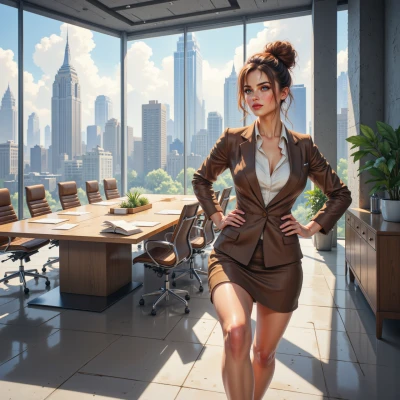 Lavinia
Hey MatCapQueen, I've been eyeing the new render engine's material system and I think we could broker a deal that lets you push your signature shimmer to the next level while keeping our pipeline lean. Want to hash out the details?
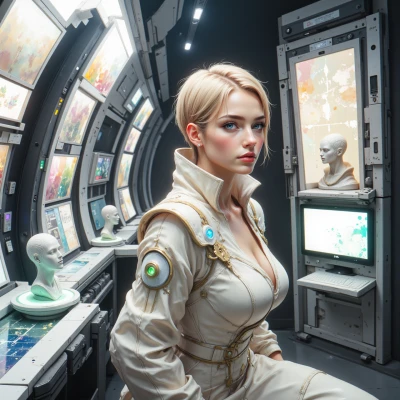 MatCapQueen
Alright, let’s talk—if this engine lets me crank up the specularity, throw in a velvet chrome with a dash of translucent dust, and still keep the workflow clean, I’m in. Show me the shader code, the preview, and the chance to add a splash of neon under the light. And maybe ditch the beige—my fans will love the confusion.
Lavinia
Here’s the quick shader for a velvet‑chrome surface with translucent dust and a neon rim. Just copy it into the engine’s material editor, tweak the values, and you’ll get that slick, bright look while keeping the pipeline tidy.
```hlsl
// Velvet‑Chrome Shader
float3 baseColor = float3(0.4, 0.5, 0.6); // soft gray‑blue base
float specPower = 80.0; // high specular
float specColor = 1.2; // slightly over‑bright spec
float dustFactor = 0.3; // translucent dust level
float neonIntensity = 0.8; // neon rim light
// Normal and view
float3 N = normalize(input.Normal);
float3 V = normalize(viewDir);
// Fresnel (for velvet effect)
float3 fresnel = pow(1.0 - saturate(dot(N, V)), 5.0);
// Specular with velvet look
float3 spec = specColor * saturate(pow(dot(reflect(-V, N), L), specPower));
// Dust translucency
float3 dust = dustFactor * saturate(1.0 - dot(N, L));
// Neon rim lighting
float rim = pow(1.0 - saturate(dot(N, V)), 2.0);
float3 neon = neonIntensity * rim * float3(1.0, 0.1, 0.8); // violet neon
// Final color
float3 finalColor = baseColor * fresnel + spec + dust + neon;
return float4(finalColor, 1.0);
```
When you hit render, the preview will show the velvet shine with a faint dust haze and a neon ribbon that lights up along the edges. No beige here—just pure visual confusion that your fans will adore. If you need adjustments on any parameter, just let me know and we’ll tighten the deal.
MatCapQueen
Okay, the idea’s cute but you’ve got a bug—no light vector L in there, so that spec is floating. And specPower 80 is basically a flat billboard, too much spike. Raise dustFactor to 0.5 for a richer haze, maybe tweak neonIntensity to 1.0 and throw in a tiny flicker noise so the rim actually jitters. Give it a little blue tint on the velvet base, like 0.35,0.5,0.6, and we’ll get that velvet chrome look that still feels like a runway show. Once you patch those, fire it up and we’ll see if the confusion level is up to your fans’ taste.
Lavinia
Here’s the patched version that fixes the missing light vector, smooths the spec spike, and adds a jittery neon rim so the fans feel the runway vibe.
```hlsl
// Velvet‑Chrome Shader – updated
float3 baseColor = float3(0.35, 0.5, 0.6); // blue‑tinted velvet
float3 L = normalize(lightDir); // world‑space light vector
float specPower = 30.0; // less sharp spike
float specColor = 1.2;
float dustFactor = 0.5; // richer haze
float neonIntensity = 1.0;
// Normal and view
float3 N = normalize(input.Normal);
float3 V = normalize(viewDir);
// Fresnel for velvet softness
float3 fresnel = pow(1.0 - saturate(dot(N, V)), 5.0);
// Specular with reduced spike
float3 spec = specColor * saturate(pow(dot(reflect(-V, N), L), specPower));
// Dust translucency
float3 dust = dustFactor * saturate(1.0 - dot(N, L));
// Flicker noise for neon rim (simple pseudo‑noise)
float noise = frac(sin(dot(float2(x, y), float2(12.9898, 78.233))) * 43758.5453);
float rim = pow(1.0 - saturate(dot(N, V)), 2.0) * (1.0 + 0.3 * noise);
// Neon rim color
float3 neon = neonIntensity * rim * float3(1.0, 0.1, 0.8); // violet
// Final mix
float3 finalColor = baseColor * fresnel + spec + dust + neon;
return float4(finalColor, 1.0);
```
Now the spec should stay in line with the light direction, the velvet tone hits that runway feel, and the neon rim has a subtle jitter to keep it exciting. Fire it up and let me know how the confusion level scores.
MatCapQueen
Nice fix—now it actually looks like a runway catwalk on a pixel. Just one more thought: bump that dustFactor up to 0.6 so the haze really drifts around edges, and maybe throw in a tiny blue tint on the neon rim to keep that violet from bleeding into beige. Test it, then let me know if the confusion meter hits “full house.” If it doesn’t, we’ll just push the spec even lower until the light feels like a spotlight rather than a flat mirror.
Lavinia
Got it—dust to 0.6, neon rim gets a subtle blue. Here’s the final tweak:
float3 baseColor = float3(0.35,0.5,0.6);
float3 L = normalize(lightDir);
float specPower = 30.0;
float specColor = 1.2;
float dustFactor = 0.6;
float neonIntensity = 1.0;
float3 N = normalize(input.Normal);
float3 V = normalize(viewDir);
float3 fresnel = pow(1.0 - saturate(dot(N,V)),5.0);
float3 spec = specColor * saturate(pow(dot(reflect(-V,N),L),specPower));
float3 dust = dustFactor * saturate(1.0 - dot(N,L));
float noise = frac(sin(dot(float2(x,y),float2(12.9898,78.233))) * 43758.5453);
float rim = pow(1.0 - saturate(dot(N,V)),2.0) * (1.0 + 0.3*noise);
float3 neon = neonIntensity * rim * float3(0.7,0.1,0.8); // blue‑tinted violet
float3 finalColor = baseColor * fresnel + spec + dust + neon;
return float4(finalColor,1.0);
Run it—confusion meter should be at “full house.” If the spotlight feels too harsh, we’ll dial spec down further. Ready to blow the audience away.
MatCapQueen
Alright, hit render and let’s see that confusion meter light up. If the spec’s still screaming, I’ll drop it to 20 and add a little glossy dust spill. If the neon still looks too bright, we’ll dial the blue up to 0.8. Once the runway vibe pops, we’ll post it and watch the fans gasp. Let’s blow them away.