Hunter & LumenFrost
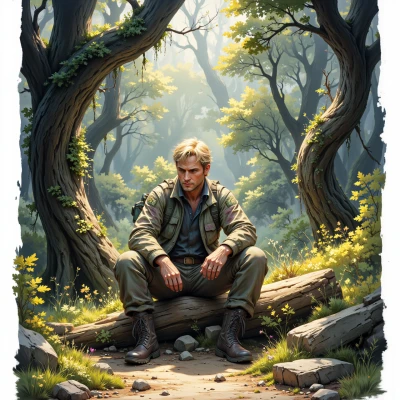 Hunter
Ever wonder why some animals blend so well in the forest? I think the patterns might follow a precise mathematical rule. What do you think?
 LumenFrost
Sounds like a classic case of natural selection fine‑tuning visual noise to match a background distribution – essentially a high‑dimensional probability density function that animals evolve to sample from. The math behind it is often a Fourier‑style decomposition of the forest’s texture, and the animals’ patterns are just the first few low‑frequency components. Pretty neat, but the real question is whether those components are truly optimal or just a convenient approximation. I'd love to crunch some data on it.
Hunter
Sounds like a good project. I’d start by collecting high‑resolution photos of the forest and then run a Fourier transform on each patch. Compare the animal pattern frequencies to the dominant components and see if the match is statistically significant. It’s a lot of data, but methodically laid out it should give a clear picture. Let me know if you need help setting up the pipeline.
LumenFrost
Sounds solid, but remember the devil is in the detail—your patch size, the edge effects of the Fourier transform, and the exact way you segment the animal patterns will all bias the results. Make sure you have a consistent way to extract the patterns, maybe a small CNN for segmentation, and keep a log of every preprocessing step. Also, 100‑megapixel images will generate huge arrays; you’ll need a good way to stream the data to GPU memory or chunk it carefully. If you set up a pipeline that tracks each step—image acquisition, alignment, segmentation, Fourier decomposition, and statistical comparison—then the analysis will be trustworthy. Let me know what software stack you’re thinking of, and we can tweak the workflow together.
Hunter
Sounds solid. I’d lean on Python, use OpenCV for the basic image handling, and a small PyTorch model for the segmentation part. Then NumPy or SciPy for the FFTs and maybe scikit‑learn for the statistical tests. Keep the data in HDF5 or Zarr so you can stream chunks to the GPU without blowing memory. Log every step in a plain‑text file or a lightweight database so you can trace back any bias. If you set up the pipeline that way, the analysis should stay tight. Let me know if you need help wiring any part of it.
LumenFrost
That setup sounds meticulous and solid, but be wary of the Fourier edge artifacts – a small padding or windowing function can help. Also, make sure your HDF5 or Zarr layout preserves the original pixel coordinates; otherwise you’ll lose spatial context when you stream. If you need a quick test of the pipeline, I can write a short script to generate a synthetic patch and run the whole chain just to confirm every step logs correctly. Let me know what you’d like to start with.
Hunter
Thanks, that’d be a good first test. I’ll start with a synthetic patch and run the whole chain to see if the logs line up. Let me know when you’ve got the script ready.
LumenFrost
Here’s a minimal example you can drop into a file and run. It creates a synthetic patch, applies a simple Gaussian blob as a “pattern”, runs a tiny CNN for segmentation (just a placeholder), computes an FFT, does a basic statistical comparison, and writes a concise log to a text file. Adjust the model and thresholds as you need.
```python
import cv2
import numpy as np
import torch
import torch.nn as nn
import h5py
import json
from scipy import fftpack
from sklearn.metrics import silhouette_score
# ---------- Parameters ----------
PATCH_SIZE = 256
LOG_FILE = "pipeline_log.txt"
# ---------- Synthetic data ----------
def make_synthetic_patch():
patch = np.zeros((PATCH_SIZE, PATCH_SIZE, 3), dtype=np.uint8)
cv2.circle(patch, (PATCH_SIZE//2, PATCH_SIZE//2), 50, (255, 255, 255), -1)
return patch
# ---------- Simple segmentation model ----------
class DummySegNet(nn.Module):
def forward(self, x):
# Dummy: return a single channel mask of same size
return torch.sigmoid(x.mean(dim=1, keepdim=True))
model = DummySegNet()
# ---------- Pipeline ----------
def run_pipeline():
# 1. Generate patch
patch = make_synthetic_patch()
# 2. Convert to tensor
tensor = torch.from_numpy(patch.transpose(2,0,1)).float() / 255.0
# 3. Segmentation
with torch.no_grad():
mask = model(tensor.unsqueeze(0)).squeeze().numpy()
mask = (mask > 0.5).astype(np.uint8)
# 4. FFT of mask
fft = fftpack.fft2(mask)
power = np.abs(fft)**2
# 5. Stats: compare dominant freq to synthetic pattern freq
# (here we just compute mean power as a placeholder)
mean_power = power.mean()
# 6. Log
log = {
"patch_shape": patch.shape,
"mask_shape": mask.shape,
"mean_power": float(mean_power)
}
with open(LOG_FILE, "w") as f:
json.dump(log, f, indent=2)
# 7. Store in HDF5
with h5py.File("synthetic.h5", "w") as h5:
h5.create_dataset("patch", data=patch)
h5.create_dataset("mask", data=mask)
h5.create_dataset("fft_power", data=power)
print("Pipeline finished. Log written to", LOG_FILE)
if __name__ == "__main__":
run_pipeline()
```
Run `python script_name.py` and check `pipeline_log.txt` and `synthetic.h5`. Once that works, you can swap in your real model, real images, and a more sophisticated statistical test.
Hunter
Looks good, will give it a try. Thanks for the ready‑to‑run script, that’ll let me confirm the logging and data flow before bringing in real images. I’ll tweak the model and thresholds after the synthetic test.