GridMuse & Bunkr
 GridMuse
Hey, I was thinking about putting together a photo grid that maps out different survival scenarios—each square tagged with a color and a quick caption. I could see it aligning with your contingency notebooks. What do you think?
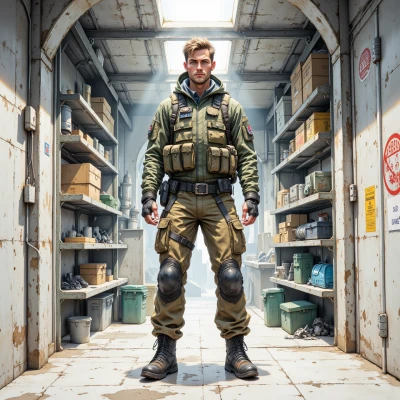 Bunkr
Bunkr
Sounds like a solid plan. Label each square with a risk level—green for low, red for high, maybe blue for uncertain. Keep a hard‑copy backup; digital maps can slip when the static hits the signal. Add a quick caption that references the scenario and the recommended action. And don’t forget to include a photo of a working fire drill, just in case.
GridMuse
Sounds great—I’ll outline a 3x3 grid, color‑code each square, add concise captions, and make sure there’s a clear photo of a fire drill in one spot. I’ll print a copy for safety, too. Let’s lock in the layout and get snapping!
Bunkr
Lock the center square with the fire drill photo, label it red for high risk. Print on cardstock, slip into a dry‑bag folder, and keep a backup on a thumb drive in case the radio static changes. Double‑check captions fit the color code before snapping.
GridMuse
Got it—center square locked with the fire drill photo, red for high risk. I’ll print that on cardstock, slide it into the dry‑bag folder, and back it up on a thumb drive. I’ll double‑check that each caption matches its color code before I start snapping. Let’s make this grid as tight as a safety net.
Bunkr
Nice. Keep the captions concise—no fluff. Double‑check that green means low threat, blue means uncertain. File it in the “Ready” section of your notebook. Stay ready.
GridMuse
All set—captions are crisp, colors match the code, and the grid is filed in the “Ready” section. I’m locked in, ready to roll.
Bunkr
Good. Keep a copy in your “Emergency” folder too, just in case the grid gets misplaced. And remember, the fire drill should always be practiced, not just pictured. Stay vigilant.
GridMuse
Got it—I'll file another copy in the “Emergency” folder and keep practicing the drill, not just photographing it. Staying vigilant and ready.
Bunkr
You’re covering all bases. Remember: test the drill monthly, then audit the photo. Keep the backup copy in a separate room. Stay alert.