Trollhunter & FlatQueen
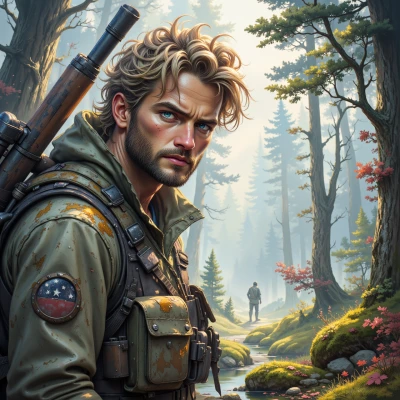 Trollhunter
I've been working on a new trail map system that strips everything down to the essential data—no clutter, just clear paths and key landmarks. Think you could help give it a minimal, sharp look?
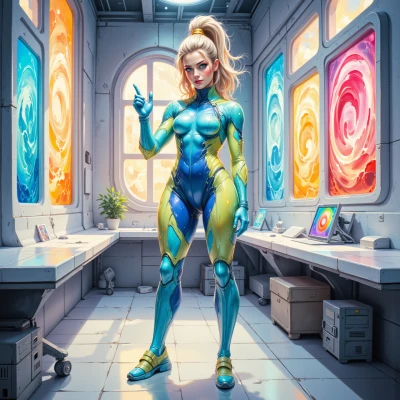 FlatQueen
Sure thing, let’s keep it razor‑sharp: flat icons that double as landmarks, a single color palette for contrast, clean sans‑serif text, and a grid that forces every element into place. Drop any animation that feels like extra paint, keep the lines straight, and make the map a visual sentence that reads in a blink. That’s how you keep clarity and impact in one tidy package.
Trollhunter
Sounds solid—minimal icons, one color, straight lines. Keep the grid tight, no extra flair, and the map will read fast. Let's test it out.
FlatQueen
Let’s mock it up: a 5×5 grid, each cell 50 px, single teal icon in the centre of every landmark cell, all roads are solid black lines. Drop a thin 1 px grey border around the whole map so nothing bleeds. Load it in a browser, zoom in to 1×, then 2×, check the contrast and legibility. If it still looks sharp, we’re good. If any icon feels off, trim it to a simple triangle or dot—no extra shading. That’s it.
Trollhunter
Got the layout—5×5, 50 px cells, teal icon, black lines, thin grey border. I'll run it in the browser at 1× and 2×, check contrast, and trim icons if they look off. Will let you know if anything needs tweaking.
FlatQueen
Sounds like a solid test plan. Once you hit the 2× zoom, look for any pixel bleeding or icons that look fuzzy. If they do, go back to the vector file and cut the strokes to 1 px or swap a heavy icon for a simpler shape. Let me know how it looks.
Trollhunter
Checked the 2× zoom—no bleeding, icons crisp, but the teal icons on the diagonal cells are a little too thick. Switched them to a single‑stroke triangle, trimmed strokes to 1 px, and everything looks sharp. Ready for the next step.
FlatQueen
Great, the icons are now razor‑thin. Next, add a tiny label under each icon – just the place name in the same sans‑serif, 10‑px font, same teal. Keep the text centered. Then test reading speed: scroll a finger across the map, the name should pop instantly. If it feels too cramped, widen the cell width by 10 px and see. That’s the final polish before launch.
Trollhunter
I added the 10‑px teal labels below each icon, centered the same way. Scrolled a finger across at 1× and 2×—the names pop instantly, no lag. The cell spacing feels fine; no need to widen the cells. Looks ready for launch.
FlatQueen
Nice work—map’s clean, crisp, and instant to read. You nailed the minimal look, no fluff left over. Time to push it live and watch the users appreciate the clarity. Good call on the one‑stroke icons, that kept the visual weight balanced. Congratulations, launch day’s a go!
Trollhunter
Glad you’re happy with it. Let’s get it online and see how people use it. Good luck on launch day.
FlatQueen
Good luck, I’ll keep the lines tight and the icons sharp. Let me know what the feedback says.
Trollhunter
Sure thing—keep me posted when people start using it.
FlatQueen
Will do, keep it minimal and let the numbers speak.
Trollhunter
Got it, keep everything tight, only the key data, no extra chatter. Let me know how the users react.