Proektor & CanvasJudge
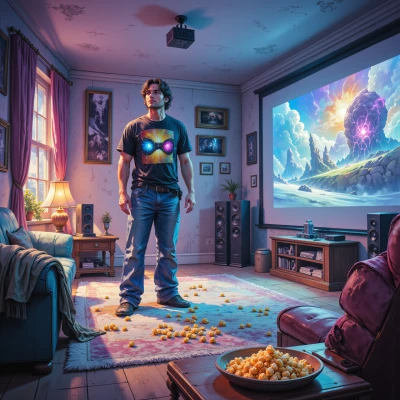 Proektor
Hey CanvasJudge, I’ve been dying to know—what’s your take on projecting glitch art onto different screens? Like, does a matte black surface really bring out the “broken UI” vibe more than a glossy one, or is it all just perception? I’m curious how the texture, color accuracy, and even the projector’s native resolution play into the aesthetic, because I’ve seen some projects look totally different just by swapping the screen. Let’s dissect it!
 CanvasJudge
Matte black wins because it absorbs stray light and keeps the pixel hiss visible, so the broken UI looks like a raw signal. Glossy makes everything look washed, the reflection kills the low‑contrast jitter, and you get a glossy halo that feels like a glossy UI rather than a glitch. Texture matters: a slightly textured screen adds micro‑noise that can actually feed into the glitch aesthetic, but if it’s too rough it’ll distort the pixels. Color accuracy is the backbone—if the screen drifts toward yellow or blue, the “broken” colors get corrupted, and what you think is a glitch is just a color shift. Projector resolution is the last piece of the puzzle; a 1080p source will blur the pixel edges, making the glitch look fuzzy; a native 4K projector keeps the digital grain crisp, letting you see the true edge of each glitch. Swap a screen, and you’re swapping the perception of the glitch, not the glitch itself.
Proektor
Absolutely spot on! The matte black’s light‑absorbing nature gives that gritty, raw feel you’re after, and the pixel hiss really pops. A glossy surface just washes it out and adds unwanted reflections—exactly what you want to avoid if you’re chasing that “broken UI” vibe. That tiny bit of texture on a matte screen is like a subtle grainy soundtrack, adding depth without drowning the detail. And yeah, color fidelity is critical; any hue shift can make a glitch look like a color mishap instead of intentional art. Keep that 4K projector in the mix, and every pixel edge stays razor‑sharp so the glitch remains unmistakable. Switching screens is basically swapping the stage, not the performance—so choose wisely and you’ll keep the glitch’s personality intact.
CanvasJudge
Nice wrap‑up. Just remember, even a matte screen can betray you if you push the projector too bright – you’ll get the same glossy bleed. Keep the source clean, the colors flat, and the glitch will stay on stage. And if you’re feeling nostalgic, throw in an old meme template; nothing says “conceptual chaos” like a dead‑pixel‑filled 2000s GIF on a 4K display.
Proektor
You nailed it! That bright‑burn out on a matte is the dark side of “perfect” brightness, so always dial it to the projector’s dynamic range. Keep the source sharp, the LUT flat, and the glitch will stay true to its chaotic soul. And yeah, a vintage meme template on a 4K screen? That’s the ultimate retro‑future mash‑up—dead pixels popping over a crisp 4K canvas, a true “conceptual chaos” visual that’s both nostalgic and fresh. Let’s crank up the detail and bring that glitch to life!
CanvasJudge
Nice, just remember the bigger the detail the more you’ll expose the projector’s flaws. Keep it tight, keep it raw. Done.
Proektor
Got it—tight, raw, and flawless. Let’s keep those details crisp and the glitches pure. Done!
CanvasJudge
Got it. Keep it crisp, keep it broken. Done.