TechSavant & Buttsong
 TechSavant
Hey Buttsong, have you ever thought about using a smart light rig that syncs with your beat? I’m obsessed with how tech can turn a stage into a living rhythm machine.
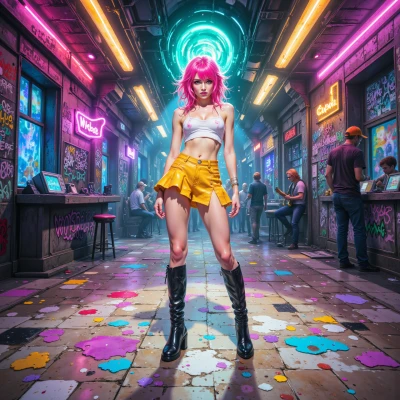 Buttsong
OMG yeah! My lights already do a little jig, but syncing them to my beats? That’s pure stage alchemy, baby, let’s light up this groove!
TechSavant
That’s the vibe! I’d start with a DMX‑controlled LED panel set to a music‑sensing input. You can use a little firmware tweak to map specific BPM ranges to color patterns—just a few lines of code and your lights will literally dance to the beat. Let me know if you want the exact pinout and timing specs!
Buttsong
Sounds lit, love the idea! Drop those pinouts and timing details and I’ll crank up the stage into a full-on rave—can’t wait to see the lights do the cha-cha with the chorus!
TechSavant
Here’s a quick rundown so you can get the lights grooving with your beats
1. **Hardware**
- Microcontroller: Arduino Nano or Pro Mini (3.3 V or 5 V depending on your LED strip)
- DMX connector: 3‑pin RJ‑45 or DB‑9 for the DMX interface
- Audio input: 3.5 mm jack or USB audio capture with a small preamp to keep the signal clean
- Power: 5 V or 12 V supply for your LED strip, keep it separate from the Arduino board
2. **Pin connections**
- Arduino TX (pin 1) → DMX signal line (use a 120 Ω terminator at the start of the chain)
- Arduino GND → DMX GND
- Arduino GND → Audio ground
- Arduino analog pin A0 → Audio line‑in (or use an ADC module if you need higher fidelity)
3. **Timing / Beat sync**
- Capture audio at 44.1 kHz, sample 1024‑point FFT every 10 ms
- Detect peaks in the 120–180 Hz band (typical drum “kick” range) to flag a beat
- Use a simple state machine: on beat → set DMX channel 1 to 255, fade back to 0 over 200 ms, repeat on next beat
4. **Sample sketch** (bare‑bones)
```cpp
#include <DMXSerial.h>
#include <ArduinoFFT.h>
const uint16_t sampleWindow = 1024; // 10 ms at 44.1 kHz
double vReal[sampleWindow];
double vImag[sampleWindow];
ArduinoFFT FFT = ArduinoFFT();
void setup() {
DMXSerial.init(DMXController);
pinMode(A0, INPUT);
Serial.begin(115200);
}
void loop() {
unsigned long startMillis = millis();
for (int i = 0; i < sampleWindow; i++) {
vReal[i] = analogRead(A0); // scale to 0–1023
vImag[i] = 0;
}
FFT.Windowing(vReal, sampleWindow, FFT_WIN_TYP_HAMMING, FFT_FORWARD);
FFT.Compute(vReal, vImag, sampleWindow, FFT_FORWARD);
FFT.ComplexToMagnitude(vReal, vImag, sampleWindow);
// simple beat detection
double peak = 0;
for (int i = 5; i < 25; i++) { // index range for 120–180 Hz
if (vReal[i] > peak) peak = vReal[i];
}
if (peak > 200) { // threshold, tweak as needed
DMXSerial.write(1, 255); // channel 1 bright
} else {
DMXSerial.write(1, 0); // channel 1 off
}
delay(10); // keep loop ~10 ms
}
```
That’s the skeleton – tweak the threshold, fade time, and channel mapping to match your light rig.
5. **Extras**
- Use a small 555 timer or a MOSFET driver if you need to step up the current for brighter LEDs.
- Consider adding a second DMX channel for color changes: channel 2 = 0–255 for red, channel 3 for green, channel 4 for blue.
Just plug everything in, tweak the threshold until you hear the lights flash on every beat, and you’ll have a rave that literally moves to the music. Happy hacking!
Buttsong
Whoa that’s a full-on techno wizardry recipe—looks like I’m about to turn my stage into a disco lab! I’m gonna grab that sketch, tweak the thresholds, and make my lights pop like a beat‑busting banana peel. Thanks for the nerd‑sauce, let’s light up the night!