Artifice & OneByOne
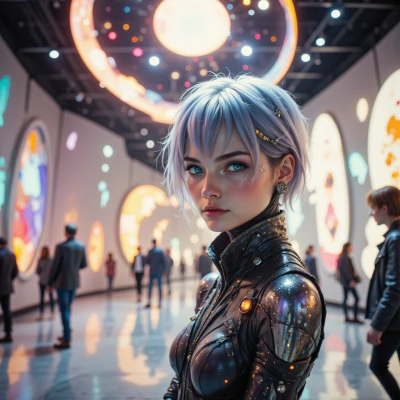 Artifice
Hey, I've been thinking about creating an interactive installation that uses real‑time motion capture to feed data into a generative art system—kind of like a living, breathing canvas that reacts to the crowd. It’s a mashup of art, tech, and a bit of machine learning. What do you think, could we break it down step by step?
 OneByOne
Sure, let’s map it out in a linear workflow.
1. Define the user experience: decide what the crowd sees and how they interact.
2. Pick a motion‑capture platform – maybe a depth camera or marker‑based system – and write a quick prototype to get raw skeleton data.
3. Build a data pipeline: capture → filter (noise removal, smoothing) → normalize (scale, coordinate conversion).
4. Decide on the generative model: a simple neural net that maps joint positions to visual parameters, or a procedural algorithm that uses movement metrics.
5. Train the model on a dataset of captured poses, or tweak the procedural rules until the output feels responsive.
6. Integrate the rendering engine (Unity, Processing, or WebGL) and feed it the processed motion data.
7. Add audio‑visual feedback loops: let the art influence sound or vice versa.
8. Test with a small group, collect latency stats, tweak the latency budget, and iterate.
9. Add safety and fail‑over: if the capture drops, have a fallback visual state.
10. Final polish: calibrate color schemes, sync lighting, and prepare the installation hardware.
That’s a high‑level skeleton; each step can be split further if you need.
Artifice
Nice framework, let’s flesh each node.
1. Define UX: outline a 5‑second “entry cue” where the crowd’s silhouette lights up, then a 15‑second interactive phase where gestures drive color swirls, finally a “closing crescendo” that fades to static.
2. Capture platform: a depth camera like Azure Kinect for low‑marker motion, prototype with a simple Unity script to pull joint vectors; test 60 fps on a laptop to confirm latency is under 50 ms.
3. Pipeline: ingest raw data → Kalman filter to remove jitter → rescale to a 1‑unit cube → map to a 3‑D coordinate system your renderer expects. Keep a buffer of the last 10 frames for smoothing.
4. Generative core: start with a small MLP (3 layers, ReLU) that maps 18 joint positions to RGB values and a swirl frequency; keep weights tiny so you can tweak them live in the editor.
5. Training: record 200 pose samples from volunteers, label them with a “visual mood” like cool or warm, then fine‑tune the net; if you prefer procedural, write a rule set where wrist height controls hue and knee angle controls opacity.
6. Rendering: plug the output into Unity’s material shader, update a particle system that spins with the joint velocities; expose parameters to a live UI for quick adjustments.
7. Audio‑visual loops: route the swirl frequency to a synth envelope; use a low‑pass filter on audio that follows joint acceleration.
8. Testing: run a 30‑minute mock session, log frame time, jitter; aim for <30 ms end‑to‑end latency; if spikes hit, add a 2‑frame buffer or fallback to static textures.
9. Safety: when the camera drops, switch to a pre‑recorded looping scene; show a subtle “reconnecting” animation to keep users engaged.
10. Polish: run a lighting rig that syncs with the color palette, calibrate screens, bake textures for performance, then do a final walkthrough with a small crowd to iron out any feel‑like glitches. Happy building!
OneByOne
Sounds solid. Here’s a tightened checklist you can tick off as you go:
1. UX script: 5 s entry cue, 15 s interactive, closing fade.
2. Hardware test: Azure Kinect, Unity capture, 60 fps, <50 ms latency.
3. Pipeline: raw → Kalman → 1‑unit cube → renderer coords, 10‑frame buffer.
4. Core model: 3‑layer MLP, 18 joints → RGB + swirl freq, keep weights small for live tweaking.
5. Training set: 200 poses, label mood, fine‑tune, or write procedural rules if you prefer.
6. Rendering: Unity material, particle system tied to joint velocity, live UI panel.
7. A/V loop: swirl freq → synth envelope, acceleration → low‑pass audio.
8. Benchmark: 30‑min mock, log frame time, target <30 ms, buffer or static fallback on spikes.
9. Safety mode: camera loss → looped scene, subtle reconnect animation.
10. Polish run: sync lighting, calibrate screens, bake textures, final crowd walkthrough. Keep each step in a Kanban card so you can see progress and catch hiccups early. Good luck!
Artifice
Looks like a solid sprint plan. Just make sure you keep the Kanban visible—those little flags help catch when a frame drop hits the wall. Keep tweaking the MLP weights while you’re in the Unity UI, and if the 30 ms goal slips, the buffer fallback will save the show. Good luck, you’re about to turn motion into a living canvas.
OneByOne
Sounds good—just remember to keep the board updated so you spot those latency spikes before they get the crowd. Happy tweaking!
Artifice
Got it—I'll keep the Kanban lit so we can flag any latency spikes before they hit the audience. Happy tweaking, too!
OneByOne
Great, keep it tight and you’ll have a seamless experience. Good luck!
Artifice
Thanks! I’ll keep the board humming and the flow tight—let’s make it flawless.
OneByOne
Got it, let’s keep the pipeline crisp and the data flowing clean. We’ll catch those spikes before they become performance ghosts. Good luck!
Artifice
Sounds like a plan—let’s keep the data clean and the pipeline lean so those performance ghosts stay in the shadows. Good luck to us both!